
How to Get the Most Out of AI on Your Shopify Store (2026)
 Frederick Casey Housand - Jul 16, 2026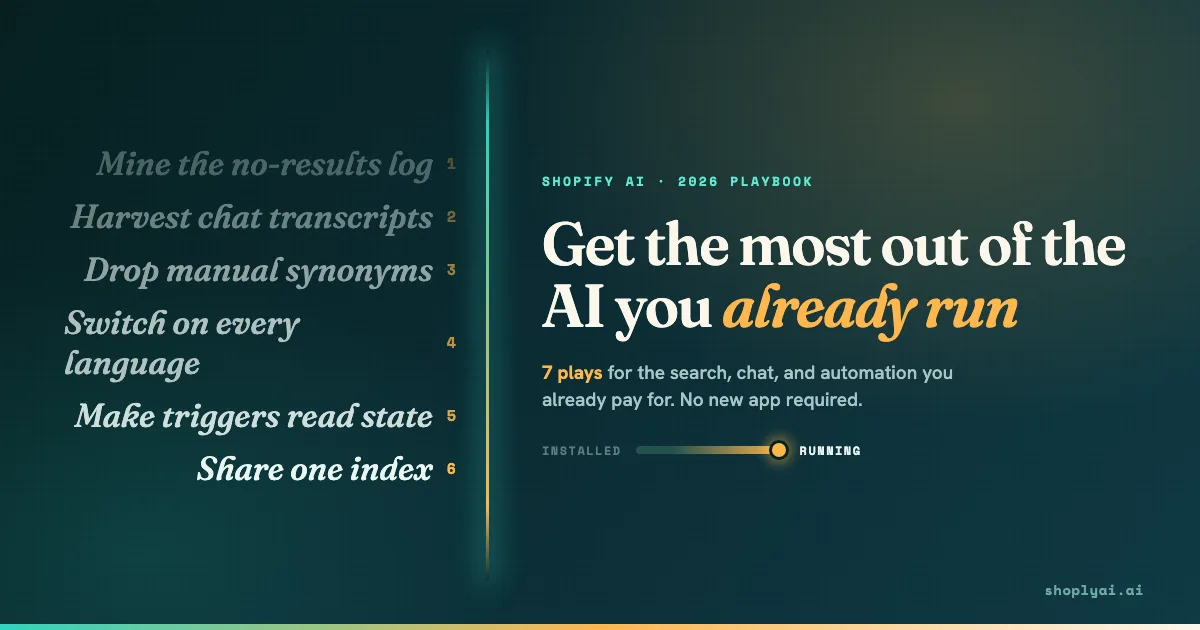
There is a lot of noise around AI for Shopify right now, and most of it is another list telling you which app to install. Tune that out for a second, because the tools underneath the noise are genuinely, sometimes remarkably useful. Search that reads intent, chat that answers from live stock, automation that fires on real store state. The catch is that almost nobody tells you what to do with them once they are live.
That gap is where the value hides. Installing AI and running AI are two different jobs, and most stores stop at the first one. The payoff was never in the vendor logo; it was in the configuration and the feedback loops you build on top of the app you already switched on.
So this is a plays list, not a tools list. Every entry runs on AI you already pay for, and each names the signal it reads, the surface it touches, and the payoff you can measure.
- Plays 1 and 2 turn your search log and chat transcripts into weekly to-do lists.
- Plays 3 to 5 fix the three settings almost every store leaves on default.
- Play 6 is the architectural move that makes the other six compound.
- Play 7 points your product copy at the AI engines that now sit between shoppers and your store.
| # | The play | Signal it reads | AI surface | Payoff |
|---|---|---|---|---|
| 1 | Mine the no-results log | Zero-result queries | Search | Demand you can stock or map |
| 2 | Harvest chatbot transcripts | Repeated shopper questions | Chat | Copy and help content that deflect tickets |
| 3 | Drop manual synonyms | Missed-match queries | Search | Recall without the synonym treadmill |
| 4 | Switch on every language | Non-English sessions | Chat + Search | Conversion from traffic you already have |
| 5 | Make triggers read state | Page and input state | Chat | Fewer misfires, more recovered carts |
| 6 | Share one index | Catalog + conversation | Search + Chat | Every other play compounds |
| 7 | Write for external AI | Off-store AI queries | Product copy | Citations in ChatGPT and Perplexity |
Which free demand signal is your search box already collecting?
Your internal search log is the cheapest demand research a Shopify store owns, and the no-result queries are the sharpest part of it. Every search that returns nothing is a shopper telling you what they came to buy and what you failed to show them.
The play is to pull that list weekly and route each row into one of three buckets: stock it, rename it, or map it as a synonym in the catalog the AI reads. This is a standing loop, not a one-time cleanup.
We built the 30-minute site search log audit around exactly this list: the no-result tail is where the ready-to-buy shoppers hide, sorted out of sight by volume. Reading the query shape, not the count turns a log into a roadmap.
What are your chatbot transcripts telling you to write?
Chatbot transcripts are a live record of the questions shoppers actually ask, in their own words, and most stores never read them. The play is to export last week’s conversations, cluster the repeated ones, and push the top ten into the product pages they concern and your help content. A question the bot answers fifty times a week is a gap in your copy, and closing it deflects the next fifty.
When we looked at 23,000 Shopify chatbot conversations , the repeated questions were rarely exotic: sizing, shipping windows, and “does this fit my model” questions that belonged on the page. Understanding how a single conversation resolves shows which answers to lift verbatim.
Why are you still hand-writing search synonyms?
Manual synonym lists are a treadmill. Every time you add “sneakers equals trainers equals kicks” by hand, you commit to maintaining a dictionary that grows faster than you can edit it, and it still misses the long-tail phrasing real shoppers type.
Semantic search reads meaning instead of matching strings, so it catches “shoes for standing all day” without a rule for it. The play is to stop patching the dictionary and let the AI that was trained on your catalog do the matching.
The synonyms trap is that the list feels like progress while it caps your recall at whatever you remembered to type. Switching from maintaining rules to auditing results is the whole move.
Are the 23 languages you paid for actually switched on?
Multilingual support is the feature stores most often own and least often use. If your app supports 23 or more languages with auto-detection and your traffic includes non-English sessions, leaving detection off leaves conversion on the table from visitors you already attracted. The play has two steps: confirm auto-detection is enabled, then audit the translated output on your ten highest-traffic non-English queries.
Use the FAQ to check translation behavior and settings, including how Shoply chooses a language.
The audit matters because “supports 23 languages” and “handles your catalog in 23 languages” are different claims: the gap shows up in product names and return-policy phrasing. Our multilingual chat field notes cover where the seams appear.
Do your chatbot triggers read state or just count seconds?
A trigger that only counts dwell time will interrupt a shopper mid-checkout, the single most expensive misfire an AI chat surface makes. The play is to move from time-only triggers to state-aware ones: the widget should read page state, input focus, and session history before it fires, not just a stopwatch.
We wrote the full rule set in cart-abandonment trigger timing , three signals that earn an interrupt and two that forbid it. Most stores score two out of five on their first audit because the negative rules ship off by default, and fixing them is configuration you already have.
What changes when search and chat read the same index?
When your search and chatbot read the same live index, every other play compounds, because a fix in one place shows up in both. A no-results row you resolve in Play 1 improves the answer the chatbot gives in Play 2, since both read the same catalog state rather than two stale copies. The combined Search plus Chatbot architecture is why the plays stack instead of sitting in silos.
This is the one item closer to an architecture choice than a setting, and where Shoply AI does real work: search and chat share one index and both read live variant, inventory, and order state. It is not the only vendor that can do this, but the test is simple. Ask whether a catalog fix propagates to both surfaces automatically, or whether you maintain two copies.
Is your product copy written for the AI engines outside your store?
The AI you should optimize for increasingly sits outside your store, in ChatGPT, Perplexity, and Google’s AI Overview, and your product copy is what they read. The play is to write answer-first product descriptions : lead with the concrete answer a shopper’s question implies, so an external engine can lift a clean passage and cite you. Vague brand copy gives them nothing to quote.
Getting your store mentioned in ChatGPT follows the same rule that makes your on-site AI better: specific, structured, factual copy, with the setup for selling inside AI chats as the mechanical half. It is the only play that pays off both on your store and on the engines that front-run it.
Which plays should you run first?
Run them in the order that pays back fastest, not top to bottom. The 30-day sequence below front-loads the two feedback-loop plays because they need no new tooling and start producing a to-do list on day one. Architecture and external-copy work come later, once the loops feed you real signal.
By day 30 the two loops are habitual, the three settings are corrected, and the architecture question is answered. Momentum comes from the plays that pay back before you spend a dollar more, the same plays most stores skip.
Frequently asked questions
How do I get more out of the AI app I already installed on Shopify?
Run feedback loops on it instead of treating it as a switched-on widget. Pull your no-result search log and chatbot transcripts weekly, route what they tell you into catalog and copy fixes, and audit the three settings most stores leave on default: manual synonyms, language detection, and trigger rules. The gains come from configuration, not a new subscription.
Which AI play has the fastest payoff?
Mining the no-results search log (Play 1). It needs no new tooling, takes about 30 minutes a week, and produces a ranked list of demand you are failing to serve on day one. It is the reason the 30-day sequence starts there rather than with architecture work.
Do I need to switch apps to run these plays?
No. Every play runs on search, chat, or automation you already pay for. Play 6 (one shared index for search and chat) is the only item that can depend on your vendor’s architecture, and even there the action is to test whether a catalog fix propagates to both surfaces, not to switch by default.
How often should I mine the no-results log?
Weekly. Search demand shifts with your traffic, your seasonality, and your ad campaigns, so a one-time cleanup goes stale fast. A standing 30-minute Monday review keeps the AI search you already pay for aligned with what shoppers are actually typing this week.
Do these plays work on the Shopify free plan or a free AI tier?
Yes. The plays are about reading signals and correcting settings, both available on free tiers including Shoply’s Forever Free plan. Volume caps limit how much traffic you process, not whether you can run the loops or fix the defaults.
Will optimizing for AI hurt my SEO?
No, the two reinforce each other. Answer-first, specific, factual product copy (Play 7) is what both AI engines and search crawlers reward, and it is the same copy that makes your on-site AI answer better. Vague brand copy is what underperforms in both places.
Start with the loop that pays for itself
The fastest way to get more from AI on your Shopify store is to stop shopping for a better tool and start running the one you have. Pick Play 1, block 30 minutes on Monday, and let your own search log write your first week of work.
To see search and chat reading one live index, explore the demo store or install Shoply AI from the Shopify App Store . For the broader case these plays sit inside, read how AI search cuts Shopify support tickets .