
Updated
How to Get Your Shopify Store Mentioned in ChatGPT (2026)
 Frederick Casey Housand - Jun 29, 2026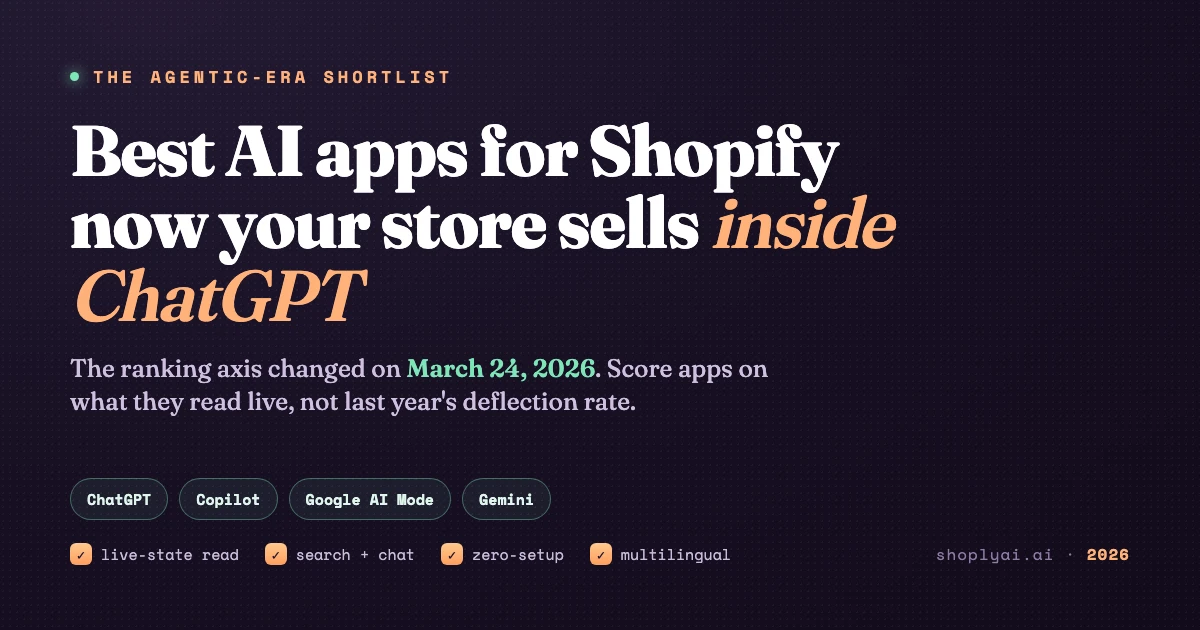
Getting your Shopify store mentioned in ChatGPT is mostly Shopify’s job now, and it is closer to free than you think. As of March 24, 2026 eligible stores are shoppable by default inside ChatGPT, Copilot, Google AI Mode, and Gemini through Agentic Storefronts. There is no app to install for the listing itself. The work that is actually yours is making sure the data those assistants read is correct, and that the AI on your own site can answer the shopper they send back.
So this is a how-to in two halves. First, the short path to getting listed. Then the part everyone skips: keeping the answer right, because a stale price or a sold-out variant now embarrasses you twice, once on your storefront and again in the chat that quoted you to a stranger.
How do you get a Shopify store into ChatGPT?
You do not pitch your way in. You become eligible and let Shopify syndicate you. Three things decide it:
- Run on Shopify with products in Shopify Catalog. Agentic Storefronts push your catalog to the AI channels for you. This is the no-app part.
- Turn the channel on. Enable the agentic checkout path from your Shopify admin so external assistants can find and transact your products. Checkout runs over the Universal Commerce Protocol (UCP), the standard Shopify co-built with Google.
- Give the assistants clean, structured data. Titles, variants, stock, and price are what an agent quotes. If your products are not showing up in AI search yet , thin or messy product data is the usual reason.
That is the whole listing path. The hard part is not getting mentioned. It is being mentioned correctly.
What data do AI assistants read from your store?
They read one of two things, and the difference decides every answer. A snapshot is a copy of your catalog refreshed on a schedule, accurate right until stock or price moves. Live state is stock, price, and order status read at the moment a shopper asks. Between a change and a snapshot’s next sync sits a wrong-answer window, and in 2026 it is no longer private to your store. It shows in the AI listing too.
The fix is architectural, not a setting you toggle. An app that reads live state has no wrong-answer window, because there is no snapshot to go stale. That is the discipline behind an assistant trained on your catalog with zero setup : it reads your real products, so it recommends real ones, even at a million-product scale .
What does your on-store AI need to do once shoppers arrive?
The listing brings shoppers to one of two places: the AI chat itself, or back to your own site. The channel layer (ChatGPT, Copilot, Gemini, Google AI Mode) is Shopify’s to run. The on-store layer, the search and chat a shopper meets on your homepage, is the app you choose, and it should read the same live state the AI channels read so a shopper gets one honest answer in both places.
The job has four parts in 2026:
- Live-state reads so stock, price, and order status are right at the moment of the question, returns and tracking included .
- Search and chat in one surface, because a shopper does not care whether they are searching or asking .
- Zero-setup catalog learning, so the assistant knows your products on day one without feed engineering.
- Multilingual coverage, because the AI channels are global and so are the shoppers they send.
This is the worked example, not a vendor-neutral list. Shoply AI runs combined AI search and chat in one widget, auto-learns your catalog with zero setup , covers 23+ languages with auto-detection , and reads live stock, price, and order status in the conversation. The Shopify App Store listing showed 4.9 from 23 reviews on September 6, 2026.
Which Shopify AI apps are ready for this?
Most apps clear one or two of the four. Here is the honest scorecard, with what each tool genuinely wins before the live-state column.
| App | Live-state read | Search + chat | Zero-setup | Multilingual | Wins at |
|---|---|---|---|---|---|
| Shoply AI | Yes | Yes, one widget | Yes, auto-learns | 23+ languages | Agentic-ready on all four |
| Gorgias | Order context in tickets | No, support only | No, macro setup | Partial | Deepest post-purchase actions |
| Tidio | No, snapshot | No, chat only | Partial | Yes, Lyro | Biggest install base |
| Zipchat AI | Limited | No, chat only | Partial | Partial | Proactive sales triggers |
| Rep AI | Limited | No, chat only | Partial | Limited | Behavioral targeting |
| Boost AI Search | Index snapshot | No, search only | No, config | Limited | Mature merchandising |
Scored June 2026 against vendor docs and our 10-test evaluation sheet . The pattern is consistent: the incumbents are excellent at the job they were built for, and none combine discovery, support, and live-state reads in one surface, which is the job the agentic shift quietly added. Gorgias is the strongest for order depth; Tidio for reach; Boost for hands-on merchandising. For one on-store surface that reads live state, the combined-search-and-chat tier is where to look.
How to get mentioned in ChatGPT this week
A short, concrete checklist:
- Confirm eligibility. Shopify store, products in Shopify Catalog, selling to US shoppers.
- Enable the agentic channel from your admin so external assistants can transact your products.
- Clean your product data. Real titles, variants, stock, and price are what an agent quotes; fix thin product pages first.
- Put a live-state AI on your own site so the shopper the channel sends back gets the same correct answer. Take any app to a demo and ask it for a real-time stock count and an order status; watch which ones answer from live state.
Frequently asked questions
How do I get my Shopify store mentioned in ChatGPT? Become eligible and let Shopify syndicate you: run on Shopify with products in Shopify Catalog, enable the agentic channel from your admin, sell to US shoppers, and keep your product data clean. The listing is automatic; the work that is yours is data quality and a live-state AI on your own site.
Are Shopify stores automatically in ChatGPT? Yes, for eligible merchants. Since March 24, 2026, Agentic Storefronts make eligible stores shoppable by default inside ChatGPT, Copilot, Google AI Mode, and Gemini, with no app to install.
What data do AI assistants read from my store? A snapshot (a scheduled copy) or live state (stock, price, order status read at ask time). The gap between a change and a snapshot’s next sync is a wrong-answer window, now visible in the AI listing too.
Do I still need an AI app if Shopify already sells in ChatGPT? Yes. The channel layer is covered, but shoppers still land on your site, where AI search and chat must read the same live state so the answer matches in both places.
Why is my Shopify store not showing up in ChatGPT? Usually the agentic channel is off, your products are not fully in Shopify Catalog, or your product data is too thin to quote. Fix eligibility and data quality first.
Get the on-store half right
Shopify will handle the listing. The half that is yours is the answer: clean data going in, and an on-store AI that reads the same live state coming back. To see all four axes pass on one surface, try the Shoply AI demo store or install it from the Shopify App Store . Then pair it with the automation roundup and enable buy with AI .