
Shopify Products Not Showing in AI Search: 7 Fixes (2026)
 Frederick Casey Housand - Jun 15, 2026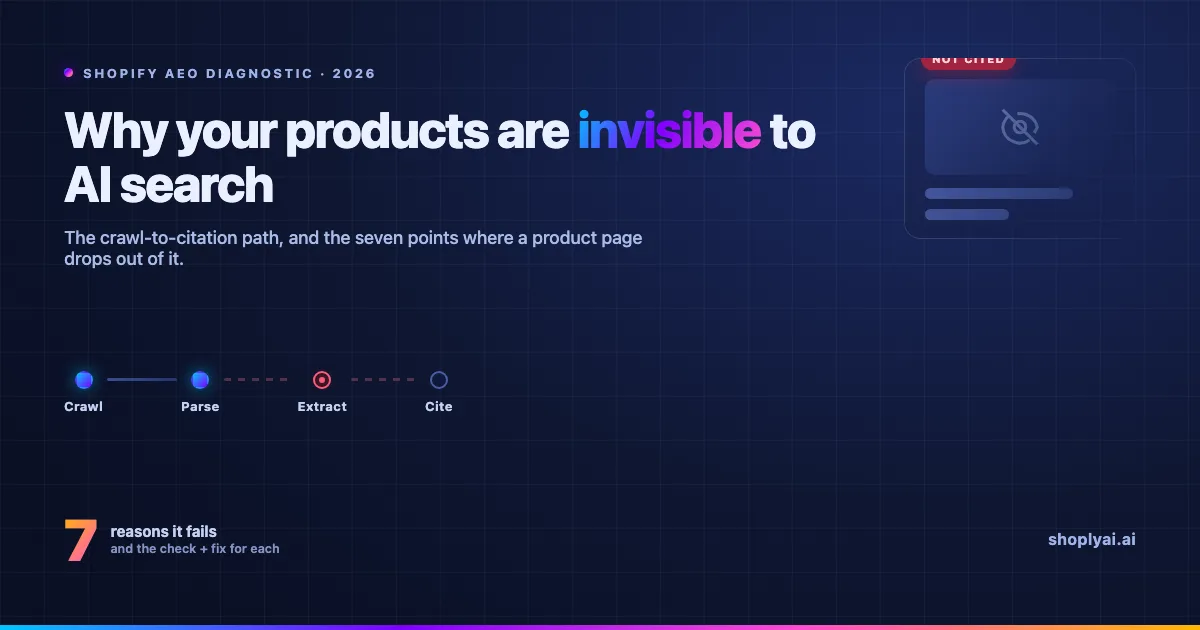
Your Shopify product is not showing up in AI search results for one of seven reasons, and every one is checkable in under ten minutes. Most are not content problems but access and structure problems that stop ChatGPT, Perplexity, and Google’s AI Overviews from reading a page they would otherwise quote. (Updated: June 2026.)
Last month a merchant at IPcam-shop, a Netherlands security-camera retailer, asked why their best seller was invisible to ChatGPT while it ranked fine on Google. The cause was three layers down: a Cloudflare rule quietly turning away the crawler that feeds ChatGPT, so the model had never read the page.
The cause is rarely the one operators suspect, which is why the forum threads on this query just guess. Here is the diagnostic they lack, with our own Search Console numbers as proof.
One scope note. This is about being found in answer engines, off your store. AI search running inside your store is a different job, covered in how to add AI search to a Shopify store . For the full off-store picture, the best AI search for Shopify in 2026 is the pillar this post sits under.
What do AI engines actually read, and where do the 7 reasons fit?
AI engines read three things: your raw server-rendered HTML, your Product JSON-LD, and any product feed they can reach, then quote the result whose title and snippet best match the query. The seven failure points sort across three layers: access, structure, measurement.
In our own Search Console, best ai search for shopify 2026 drew a 52% click-through rate from AI agents when our title matched it almost word for word, while near-miss queries on the same pages sat at 0%.
The seven at a glance, by layer:
| # | Reason | The check | The fix |
|---|---|---|---|
| 1 | Crawlers blocked | robots.txt + Cloudflare bot rules | Allow GPTBot, PerplexityBot, Google-Extended |
| 2 | No Product schema | Google Rich Results Test | Server-render Product JSON-LD |
| 3 | JS-only rendering | View source for the product name | Server-render name, price, description |
| 4 | Thin copy | Does any line answer a buyer? | Add quotable buyer answers |
| 5 | Stale stock and price | JSON-LD vs the live page | Sync structured data to live state |
| 6 | Catalog, not answers | Any comparison or Q&A block? | Publish extraction-ready content |
| 7 | No corroboration | Ask ChatGPT who it cites | Earn third-party mentions, watch GSC |
Is my store even readable by AI crawlers? (Reasons 1 to 3)
The access layer decides whether an engine ever sees your page, so a failure here makes every other fix pointless. A crawler turned away at the door, or reading a blank page, is the most common reason a product that ranks on Google is still invisible to ChatGPT.
Reason 1. Your robots.txt or Cloudflare is blocking AI crawlers. The IPcam-shop case from the open.
- The check: search
yourstore.com/robots.txtforGPTBot,OAI-SearchBot,PerplexityBot,ClaudeBot, andGoogle-Extended, then check Cloudflare bot rules, since a default bot-fight setting blocks these first. - The fix: allow each crawler by name. OpenAI , Perplexity , and Google document their tokens; a
Disallow: /underUser-agent: *catches all of them.
Reason 2. Your product pages have no valid Product schema. Engines read structured data, not rendering.
- The check: paste a product URL into Google’s Rich Results Test ; no valid
Producttype means the engines see nothing too. - The fix: server-render Product JSON-LD with
name,offers,availability, andbrand. Zero-setup autonomous learning keeps that structured layer current without a developer hand-wiring schema.
Reason 3. Your content only renders in JavaScript. The product name only exists after a script runs, and many crawlers never run it.
- The check: right-click View Source (not Inspect) and search the raw HTML for the product name and price. If they are absent, the crawler reads a blank page.
- The fix: server-render the critical content. Product name, price, and description belong in the initial HTML.
Why won’t AI engines quote my product pages? (Reasons 4 to 6)
Being crawlable is necessary but not enough. An engine quotes a page only when it can lift a defensible answer out of it, so a clean crawl of an empty page still gets skipped. This is where most stores that clear the access checks lose AI visibility.
Reason 4. Thin or templated copy gives engines nothing to quote. A spec sheet answers no buyer question, so there is no sentence to extract.
- The check: read one product page as the engine would. Does any single sentence answer a real buyer question, like what it fits or what it does not work with?
- The fix: add quotable answers to the questions buyers ask, the way you would train an AI on your catalog . The same gap breaks retrieval inside a store too, the synonyms trap .
Reason 5. Your stock and price signals are stale. An engine that catches your JSON-LD saying “in stock” while the live page says sold out stops trusting the page.
- The check: compare price and availability in your JSON-LD or feed against the live product page. A mismatch is a trust problem, not a formatting one.
- The fix: keep structured data in sync with live state. This is the ceiling a static feed always hits, and why live-state reads matter: our combined AI Search + Chatbot answers from current stock, price, and order status, not last night’s snapshot.
Reason 6. You publish a catalog, not answers. A store that ships only product pages gives answer engines nothing to cite.
- The check: look for any page an engine could lift a comparison or direct answer from. If it is product pages all the way down, you have a catalog, not an answer source.
- The fix: publish extraction-ready content, the way an answer-first content page is built. Turning a catalog into answerable structure is what our one combined index does, the million-product retrieval problem at smaller scale.
How do I know if AI is sending me anyone? (Reason 7)
You measure it. The step almost no merchant runs is reading their own Search Console for the fingerprints AI agents leave, then checking who the engines cite. The first six reasons are the fixes; reason seven tells you they landed.
Reason 7. No third-party corroboration, and no self-check. By most estimates, 90 to 95% of AI citations come from third-party sources, not your own pages.
- The check: ask ChatGPT or Perplexity about your product category and read who they cite. If it is all Reddit, G2, and listicles you are absent from, that is the gap.
- The fix: earn those third-party mentions, then verify with your own data, below.
The GSC self-check. AI-agent traffic leaves two fingerprints in Search Console:
- Year-stacking queries like “best shopify tools 2025 2026” rarely come from humans. In our data, 507 such impressions produced zero clicks, the signature of agents reading the snippet without clicking.
- Long natural-language prompts (“who diagnoses why products are not cited in ai search”), often at a strong position with 0% CTR, are agents relaying a prompt rather than people typing.
Roughly 40 to 50% of our non-branded impressions carry these fingerprints (estimated from query patterns, not a labeled dataset).
What this does not catch. Search Console shows the Google surface (AI Overviews), not citations inside ChatGPT or Perplexity, which run off Google. Treat it as early warning for the Google surface, and the “ask the engine” check as your read on the rest.
For the wider picture, the best AI search for Shopify in 2026 pillar covers off-store visibility end to end; if your gap is the conversational surface, the best AI chatbots for Shopify in 2026 is the sibling to read next.
Frequently asked questions
Why isn’t my Shopify product showing up in AI search results?
One of seven reasons across three layers: access (crawlers blocked, no Product schema, JS-only rendering), structure (thin copy, stale stock and price, catalog-only), and measurement (no corroboration, no GSC self-check).
How do I get my Shopify product pages into Google AI Overviews?
Allow Google-Extended, server-render valid Product JSON-LD with current price and availability, and put one buyer-question answer on each page.
Which AI crawlers do I need to allow for ChatGPT and Perplexity to see my store?
GPTBot and OAI-SearchBot (ChatGPT), PerplexityBot (Perplexity), ClaudeBot (Claude), and Google-Extended (Google’s AI surfaces). Check Cloudflare too.
Does adding AI search to my store make my products show up in ChatGPT?
No. On-store search helps shoppers inside your store; ChatGPT visibility is off-store and depends on crawl, parse, and extraction.
How can I diagnose why my products aren’t cited in AI search?
Work the layers in order: crawler access, schema, raw-HTML rendering, quotable copy, live stock and price, then GSC AI-query rows and an “ask the engine” check.
How long until schema and crawler fixes show up in AI answers?
Weeks, not days. The fixes ship fast; the re-crawl, re-index, and re-citation that follow are the slow part.
Run your own audit
The fastest way to feel the difference a live, structured catalog makes is to watch one answer happen: ask the Shoply AI demo store whether something is in stock, then compare that to a static feed. To run it on your store, the Shopify App Store listing has a Forever Free tier. Happy auditing.