
DeepSeek vs TypeSafe's Jev: Faster AI Search and Chat
 Frank Yang - Oct 18, 2026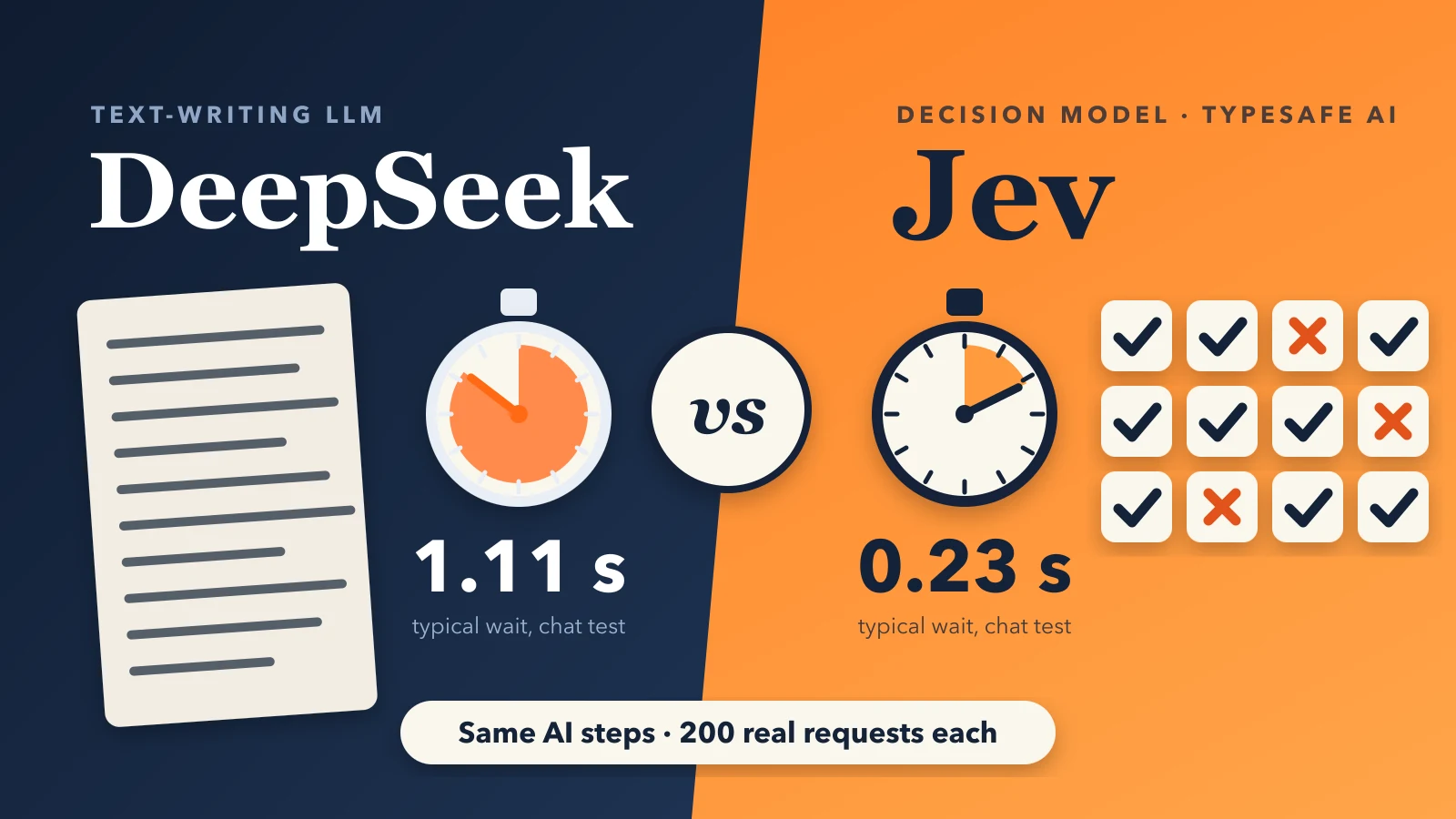
A shopper searches “white dress.” Before the results appear, our search asks an AI model several small questions. Which of the store’s product categories (Shopify calls them collections), such as “Dresses,” “Shoes,” “Shirts,” “Women” or “Men,” fit the search? Which of up to 36 shortlisted products are really dresses, and really white? Which filters, such as size or color, belong next to the results?
The shopper waits for every answer. In our tests with DeepSeek V4.1 Flash , the AI model our search uses for most of these questions, a search waited 0.85 seconds on average for the product check alone. So we tested Jev, a decision model from TypeSafe AI that answers multiple-choice questions instead of writing text. Across the four steps we tested, Jev was:
- Faster. Its typical wait was 35% to 80% shorter than DeepSeek’s, from 0.43 to 0.28 seconds when matching collections and from 1.11 to 0.23 seconds when picking documents for chat.
- Cheaper. It cost 67% to 83% less on every step, for example $0.15 instead of $0.85 to check products for 200 searches.
- More accurate on three of the four steps. Only the chat document test went to DeepSeek.
How Shoply’s Search Engine Works
At Shoply , we build AI search and an AI chatbot for Shopify stores. Our search matches both the shopper’s words and their meaning, ranks products by relevance, sales, stock and shopper activity, and moves up products from collections that fit. AI then removes products that do not fit and picks which filters to show (how we rank results, how we choose filters). For store questions, the chatbot looks up store documents such as return policies.
Most of those AI steps are small yes-or-no calls. We tested four of them, each with 200 real shopper requests:
- Collection matching (search): is the product collection/category relevant to the search query?
- Product relevance (search): keep this product or drop it in the search result?
- Filter choice (search): is this search filter relevant to the search query?
- Document filter (chat): does this store website page or store document help answer the question?
For calls like these, we would rather ask a hundred tiny questions in parallel than wait for an AI to write one long answer, and that is exactly how Jev works. We use Jev through the Vercel AI Gateway , a service that connects apps to many AI models (Jev’s listing there ).
What a “decision model” does differently
A typical LLM (large language model, the kind of AI behind ChatGPT), such as DeepSeek, reads one long set of instructions and writes its answer word by word, like a list of the matching collection names. The more it writes, the longer it takes, and the words it writes cost extra.
A decision model does not write. We send it the shared background once, plus one fixed-format question per item. A question can take three forms:
- Yes or no, such as “Is this filter useful for this search?”
- Pick one option, such as “Should this collection move up, move down, or neither?”
- A grade, where the options run from worst to best, such as “Does this store document not help, partly help, or answer the question directly?” Because the options are in order, we can turn the answer into a single score.
For each question, Jev sends back a probability for each possible answer. As an illustration, for “white dress” the question about the “Dresses” collection might come back 95% yes, the question about “Summer Dresses” 30% yes, and the question about “Shoes” 1% yes.
In our tests, that design gave Jev four advantages:
- Speed. The answers are short and come back together, so there is no long text to wait for. Jev is also billed only for what we send it, at $0.042 per million tokens (a token is a small chunk of text), and nothing for its answers.
- Better precision and recall. These are the two standard ways to score a keep-or-skip choice. Precision asks: of the items the model kept, how many were right? Low precision means wrong products reach the shopper. Recall asks: of all the right items, how many did the model find? Low recall means right products go missing. Jev scored higher on both when checking products and matching collections.
- A probability. Every answer comes with how sure Jev is, so we can decide how sure it must be before we act. A written list gives only “in” or “out.”
- Fewer broken replies. Jev cannot write an explanation before its answer. DeepSeek did exactly that in 3 of 200 chat test cases, and our software could not read those replies.
The catch is that Jev judges each question alone, without seeing its other answers. So rules about a whole group, such as “keep the best four documents,” have to live in our own software.
How we tested it
Our earlier article on grading search before shoppers do argues that a search change you cannot test in advance is a change you are shipping blind. So we built one test for each step.
- Real requests. Each test holds 200 real requests copied from our records of live searches and chats on real Shopify stores.
- Shopper privacy. The test data holds only what each AI step saw: search words, product listings, store documents and shoppers’ questions. It contains no shopper accounts or order records, and we replace any email address or phone number a shopper typed into chat with a placeholder.
- Exact inputs. For every request, we rebuilt what the AI saw and checked that it matched, character for character, what our live system had sent.
- Golden labels. A separate, stronger AI model, Claude Opus 5.5 with high thinking (set to reason carefully before answering), read every request and wrote the correct answer, following the same rules as the instructions our live system gives DeepSeek. It never saw what Jev or DeepSeek answered.
- Same conditions. Both models ran through the same software with the same time limit as our live system (3 seconds for search, 4 for chat), one request at a time, with no backup model, so each one stood alone.
We scored quality with precision and recall, explained above, counting an item as right when the golden labels agreed. F1 combines the two into one score out of 100%. For speed, we report two percentiles : the typical wait (the median, which half of requests beat) and the slow tail (the time within which 19 of 20 requests finish).
The results at a glance
Test for Product Relevance
The relevance check is the last AI step in a search. It receives a shortlist of up to 36 products and removes the ones that do not match. We explain the full ranking in How Shoply AI Ranks Product Search Results, and our FAQ covers why a product can be missing from search results.
Jev made those keep-or-take-out calls more accurately than DeepSeek. Across 7,130 product decisions, precision rose from 90.5% to 93.2% and recall from 92.4% to 97.0%. The typical search waited 0.38 seconds instead of 0.65, and 19 of every 20 searches finished within 0.49 seconds, against 2.55 seconds for DeepSeek.
Test for Collection Matching
Collections are the product categories a store sets up in Shopify, such as “Dresses,” “Shoes,” “Shirts,” “Women” or “Men.” When a search matches one of them, products in that collection move up in the results. For “white dress,” the “Dresses” collection should match, and “Shoes” and “Shirts” should not. Harder calls come from narrower collections: “Summer Dresses” should not match, since not every summer dress is white.
Jev matched the golden labels more closely: precision rose from 63.0% to 69.4%, recall from 76.5% to 81.2%, and F1 from 69.1% to 74.8%. DeepSeek ran out of time on 7 of 200 searches, and each time no collection moved up; Jev never ran out of time. To check that time-outs did not explain DeepSeek’s lower score, we re-ran DeepSeek with a 60-second limit. With every search answered, its F1 was 66.2%, lower rather than higher.
One caveat keeps this honest. Part of Jev’s lead on pushing items down comes from how we ask. One store asks us to push a group of its products down the results unless the shopper’s search mentions them. Jev followed 161 of the 173 push-downs the golden labels expect; DeepSeek followed 116. But Jev gets an explicit “push down” option on every question, while DeepSeek’s instructions mention it once, inside the store’s own notes.
The difference is easiest to see side by side:
In our test, Jev cut the typical wait from 0.43 to 0.28 seconds and removed the time-outs.
Test for Filter Choice
Above the search results, Shoply shows a row of filter buttons, such as “Size,” “Color” or “Brand,” that shoppers tap to narrow the list. A store’s products can have many possible filters, so for each search Shoply uses AI to pick which ones to show and put the most useful first. For “white dress,” that might be “Size” and “Color,” not “Shoe width.” Our article on how product details become smart filters explains where those filters come from.
DeepSeek tended to show nearly every filter, 8.97 per search. That gave it high recall (88.0%) and low precision (47.1%): it handed shoppers the whole menu. For Jev, we asked one yes-or-no question per filter, “is this useful for this search?”, and then had to decide how sure Jev must be before we show it.
Jev’s probabilities let us measure that choice directly. Precision falls and recall rises as the bar drops:
The 65% bars come from a re-run on the same 200 searches, after we merged near-duplicate filters such as “size” and “variant size.” We use that 65% bar and always show at least 5 filters, because a missing filter hurts shoppers more than an extra one. It keeps recall close to DeepSeek’s (87.6% against 88.0%) while staying more precise (50.0% against 47.1%).
Test for the Chat Document Filter
When a shopper asks our chatbot a store question, such as a return policy or a shipping time, chat first pulls up 10 store documents, such as FAQ pages and policies. Our guide to how a chatbot conversation works walks through those turns. A filter step can then keep the 4 most useful documents before the chatbot writes its answer. The chatbot must wait for that step, so here a faster model reaches the shopper almost directly.
DeepSeek took more than 1 second in 148 of the 200 test cases. Jev never did: its slowest answer took 0.55 seconds, and its typical time was 0.23 seconds against DeepSeek’s 1.11.
On quality, DeepSeek was better. On the 138 test cases that had at least one helpful document, we scored the four kept documents with nDCG , a standard ranking score where 100% means the best possible four in the best order. DeepSeek scored 86.7% and Jev 81.5%. DeepSeek also kept more of the helpful documents (91.5% against 86.5%). Both put a document that answers the question directly in first place in 83.0% of the 47 test cases that had one.
Three lessons about asking many small questions
Ask many tiny questions in one API call. An API call is one request from our software to the AI service. We send Jev the shared background once, plus every question, in that single request, and it answers them all together. Checking about 40 collections for a search takes one call, not 40, which is why its typical wait stayed under 0.3 seconds.
Leave group rules to your own software. A rule such as “keep the best four documents” is about a group of items, and one question per item cannot follow it. Jev scores each item; our software then sorts the items by those scores and keeps the top four. The chat filter already works this way.
Watch the slowest answers, not only the typical one. Jev’s biggest gain was in the slow tail. When search runs out of time, the shopper sees unchecked results, and when chat runs slow, the answer arrives late. Our breakdown of where the time goes in a live Shopify answer shows how little time a search has to spare.
What these numbers do not show
- The golden labels come from an AI. Claude Opus 5.5 wrote them without seeing either model’s answers, but no human checked them case by case.
- One run per model. Running a model twice moved its scores by up to about 5 points, and we did not calculate error margins.
We will keep re-running these tests as we change instructions, thresholds and models. The rule stays the same: a step switches only when the test says it should, and it keeps a backup that answers when the new model does not.
See the search these tests protect
Try a search in the Shoply demo store to see collection matching, relevance checks and smart filters working together. To add Shoply AI search and chat to your own store, install Shoply AI from the Shopify App Store .