
DeepSeek vs TypeSafe's Jev: Faster AI Search and Chat (Part 2)
 Frank Yang - Oct 20, 2026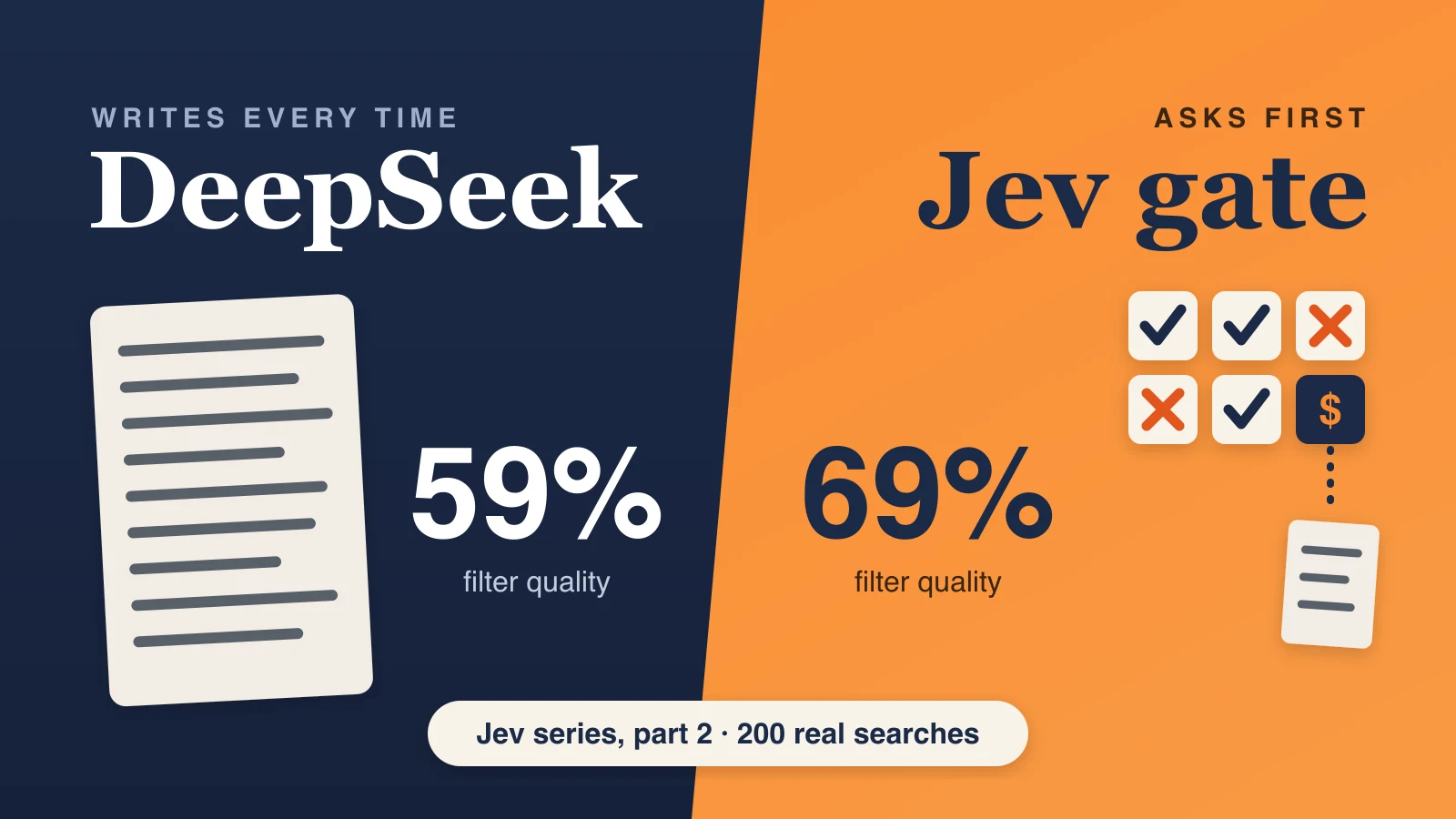
A shopper types “premium black women’s ski boots.” Hidden in those five words are four filters:
- premium sets a price limit: the most expensive 25% of the matching products.
- black sets the color.
- women’s sets the gender.
- ski boots sets the product type.
When the search reads all four, black women’s ski boots from the top of the price range come first. When it misses one, such as the gender, men’s boots get mixed into the results. When it adds a filter the shopper never asked for, the right products get pushed down. A search for snow apparel deals, for example, is about sales, not a budget. Treating it as a request for cheap items pushes most of the store’s snow apparel down the list.
This is part 2 of our Jev series. In part 1, we tested Jev, a decision model from TypeSafe AI that answers yes-or-no questions instead of outputting a JSON (a block of structured text that software reads), against DeepSeek V4.1 Flash on four small AI steps behind search and chat.
This post covers a fifth step: reading filters. It turns the shopper’s search query into filters like the four above, so the search can put products that match all of them first. A shopper who types premium black women’s ski boots gets the same results as one who opens the store’s filter menu and ticks black, women’s and a high price range, without having to find that menu. Until now, DeepSeek did this step. It read the search, a long list of rules and the store’s filter options, and output all the filters as a JSON. It was the hardest step to hand to Jev, because Jev only answers questions and cannot output a number such as a price limit.
On 200 real searches, the design we landed on, which we call the Jev gate, scored:
- Better. A filter quality score of 69%, against 59% for DeepSeek alone. The score is F1 , which combines two checks: how many of the filters set were right, and how many of the right filters were found.
- Faster on the slowest searches. In the same test session, 9 of 10 searches finished within 0.52 to 0.56 seconds, against 0.72 to 0.83 seconds for DeepSeek. The typical search took about the same time with both, under half a second.
- Cheaper. $0.44 per 1,000 searches, against $1.00.
The Jev gate keeps DeepSeek and waits for it only when a search needs it, which turned out to be 9 times in 200.
What the filter step does
At Shoply , our AI search finds products for a Shopify store’s search box. Every product carries attributes such as type, color, size, gender and price, and those attributes become filters. For each search, an AI step reads the shopper’s search query and decides which attributes the shopper asked for. When we put the results in order, products that match those attributes move higher up the list. For premium black women’s ski boots, a black women’s boot in the higher price range appears before a red men’s boot. Products that don’t match are not hidden. They just appear further down.
For each search, our search system picks about 35 of the store’s product attributes that might apply, such as color or price, and sends them to this step with their possible values. These attributes come in two kinds, and each needs different handling:
- Listed attributes, such as color (“black,” “TNF Black,” “red”) or gender (“women’s,” “men’s,” “unisex”). The answer is a choice from the list.
- Number attributes, such as price or rating. The answer is a limit, such as “at most $100” or “the cheapest 30% of what matches.”
How the DeepSeek option works, and where it falls short
We send DeepSeek a prompt with the search query, our rules with examples, and the candidate attributes with their possible values. One prompt holds at most 20 attributes, so a search with about 35 attributes is split across two prompts, and DeepSeek answers both at the same time. For each prompt, it outputs a JSON with every filter it found, and we combine the answers.
That works, and it set the bar for our test: a quality score of 59%. But the 200-search test showed three weak spots:
- Every search pays for a written answer. The model reads the whole prompt and outputs a JSON with every filter, even when the search, like jumpers, asks for almost nothing. We pay for every word it reads and every word it writes, on every search. That is why it costs more than twice as much as the Jev gate.
- Slow outliers. DeepSeek’s typical wait was fine, about 0.5 seconds, but its slowest searches stretched past a second. In two of our five runs, 1 or 2 searches in 200 ran out of the 3-second limit, which leaves the shopper with no filters at all.
- It adds filters the shopper never asked for. It read “deals” and “on sale” as a request for cheap items. For snow apparel deals and neutral men’s running shoes on sale, it set a price limit of the cheapest 30% of matching products. A shopper looking for deals wants discounted items, not only the cheapest ones, so that limit pushes most of what they came for down the list.
The first Jev version was not enough
Jev answers a different kind of question. We send it the shared background once and one yes-or-no question per item, and it returns a probability for each. Part 1 explains the format.
Jev cannot write numbers, though, and price limits are numbers. Our first design split the step in two: Jev picked the listed attributes, and a separate text model, an AI that outputs a JSON like DeepSeek does, wrote the number limits at the same time. Quality was already close to where we ended up: 68% on the same score used in the results below. Speed was the problem. The text model ran whenever a search came with a number attribute to consider, and price was one of the candidate attributes on 194 of our 200 test searches. So nearly every search waited for the text model, even though only 10 of the 200 actually set a number limit. In the same test session, the typical search took 0.58 seconds, against 0.48 for DeepSeek and 0.44 for the Jev gate.
We were paying for a written answer on every search to get a number on one search in twenty.
The Jev gate: ask first, write only when needed
The fix was to let Jev decide whether the slow part is needed. In the Jev gate, every search runs like this:
- Round 1, one question per attribute. Jev answers about 35 yes-or-no questions together, number attributes included. For listed attributes the question is Does the search ask for a specific value? For price it is Does the search set a price limit, either a number or a word such as cheap, budget, premium or luxury? The question spells out that deals, sales, rentals and model numbers are not limits.
- DeepSeek starts at the same moment, with numbers only. It gets a short prompt with just the number attributes, so its answer is ready if we need it.
- Round 2, one question per value. For each attribute Jev kept, it answers Does the search ask for this value? for every listed value, such as “black” or “TNF Black.”
- The gate. The search waits for DeepSeek’s number answer only when Jev is more than 50% sure the search sets a limit. Otherwise the answer is never used.
In the test, the gate opened on 9 of 200 searches, and those were the right ones. Every one of the 9 searches with a real price limit, such as under 300 kr, tennis rackets under $100 or high end ski shell jacket, scored between 87% and 97%. The searches DeepSeek had misread scored 11% for snow apparel deals and 8% for neutral men’s running shoes on sale, so they got no price limit.
That is how the Jev gate improves the DeepSeek option rather than throwing it away. DeepSeek still writes the price limits, and it is good at that. The search just stops waiting for them on the 95% of searches that never asked.
Two more fixes the test forced
Neither fix is the gate itself. The first now applies to every design we compared, DeepSeek included, so it does not explain the gap in the results. The second protects shoppers on the rare search where Jev is slow.
Some attributes are better matched by code. Two of our test stores tag products with search phrases, such as bukser (Danish for trousers), jorts or a product code. The only useful question for those is Did the shopper type this phrase? Asked one phrase at a time, Jev said yes far too often. For jorts it picked “bikini” and “festival jacket,” and over the test it picked 275 phrases. DeepSeek picked 38, some of them also wrong. Now code compares the phrases with the shopper’s search query, allowing plurals and spellings with or without spaces, and picks 18. We did not allow typos in short words. Among the catalog words in our test, 1,507 pairs differ by a single letter, and many name different things: shirts and shorts, pants and parts, gold and cold.
A slow round gets a second opinion. Each Jev round usually answers in about a quarter of a second. If a round has not answered within 0.5 seconds, we send the same questions to GPT-6 Luna directly through OpenAI, so a problem on Jev’s side cannot hold it up, and take whichever answer arrives first. In the test, Luna started in 4 to 11 of 397 rounds and answered first twice, in 1.6 and 2.2 seconds, instead of waiting for Jev’s 3-second limit. Luna alone is a weaker filter reader, 55% on the same test, which is why it races only slow rounds instead of taking over.
How the Jev gate compares with DeepSeek
We ran the test the same way as our other search tests: 200 real searches from four stores selling fashion, vintage clothing, outdoor gear and garden machinery. We rebuilt each search’s input exactly as our live system had sent it. A separate model, Claude Opus 5.5 , wrote the correct filters for every search without seeing either model’s answer. The quality score is F1 over every filter value and price limit, combining precision (of the filters set, how many were right) and recall (of the right filters, how many were found).
Two more numbers matter for shoppers:
- Steadier results. We ran each design twice on the same 200 searches and compared the filters from the two runs. For the Jev gate, 96% of the filters were the same both times. For DeepSeek, 87% were. So with DeepSeek, a shopper who repeats a search later can see different products at the top, only because the AI picked different filters the second time.
- No dropped searches. Across all our Jev gate runs, no search ended without filters. DeepSeek ran out of time on 1 or 2 searches in two of its five runs.
The typical wait barely moved, because DeepSeek’s typical answer was already fast. The gains are on the slowest searches and in quality. Precision rose most: 71% of the filters the Jev gate set were right, against 58% for DeepSeek. Both used the same phrase matching, so the gap comes from the AI step itself: Jev set fewer filters the shopper never asked for, and the gate kept price caps off deal searches.
Limits of this test
- The correct answers come from an AI. Claude Opus 5.5 wrote them without seeing either model’s answers, and no human checked them search by search. For the search-phrase attributes, we chose the rule ourselves: a phrase counts when the shopper typed it.
- Number limits are a small sample. Only 10 of the 200 searches set one, 9 of them on price. The gate caught all 9 price limits and missed the tenth, a bestsellers search that DeepSeek missed too, but 10 is too few to measure limit quality closely.
Try the search it powers
Search the Shoply demo store with something like cheap black jacket and watch the filters line up with your words. To add Shoply AI search and chat to your own store, install Shoply AI from the Shopify App Store .