
Add an AI Chatbot to Any Website — Now Fully Self-Serve
 Rui Jiang - May 22, 2026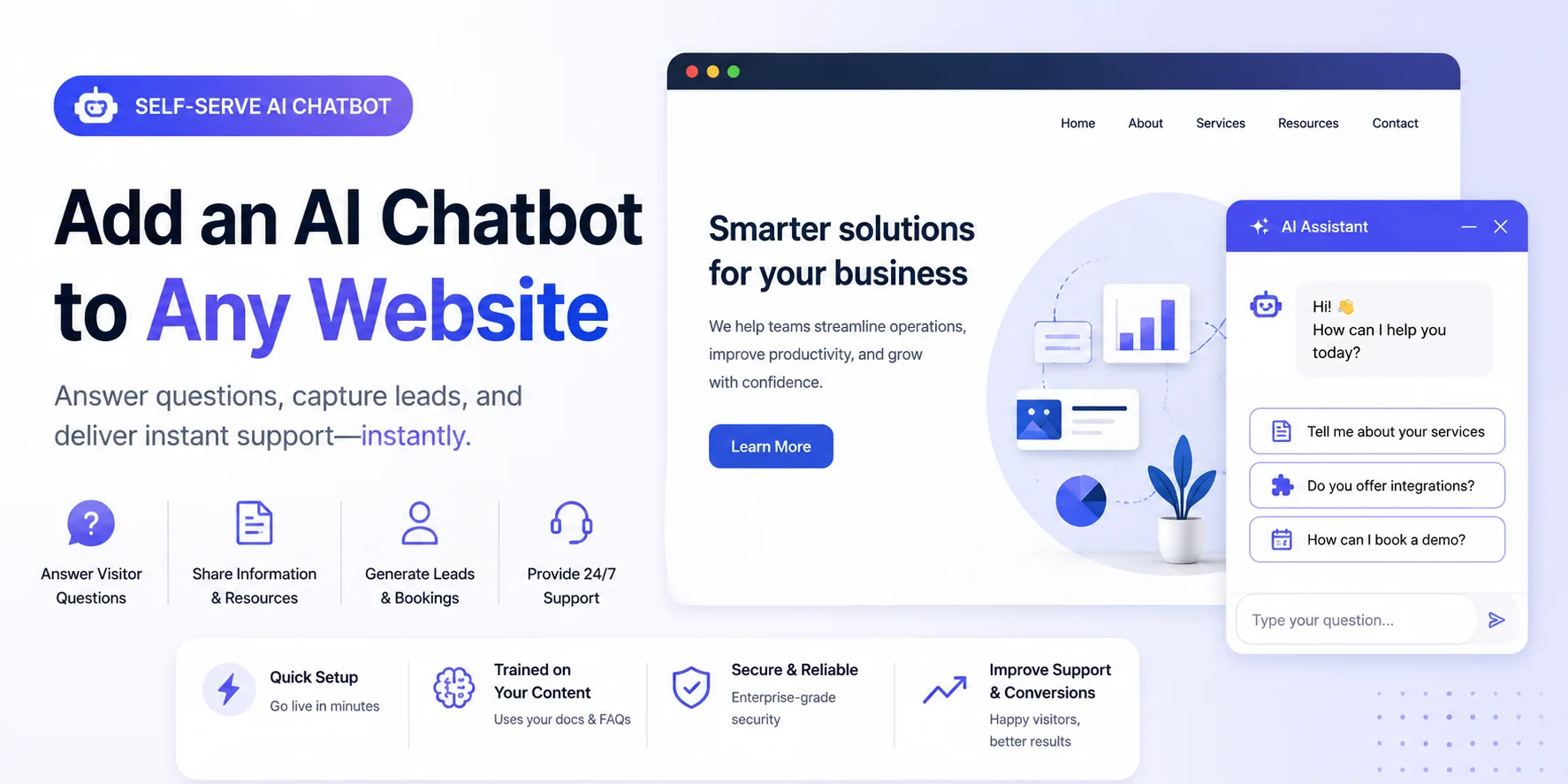
Most AI chatbots are built for specific platforms — Shopify, Intercom, Zendesk. But what if your website isn’t a store? What if you run a documentation site, a university program, a non-profit, or any other content-rich website and want visitors to get instant answers without hunting through pages?
Shoply AI Site Chat makes this possible. Think of it like Google’s site search, but fully conversational: go to sitechat.shoplyai.ai , tell it which pages to crawl, and it builds a chatbot that can answer any question based on your content — automatically, with no manual Q&A writing required.
You can see it live on our demos page , where we’ve built chatbots for documentation sites, university programs, and more.
How It Works
Getting started takes three steps:
1. Specify Your Pages
Go to sitechat.shoplyai.ai , create your account, and enter the URLs of the pages you want your chatbot to know about. Shoply will automatically crawl those pages and all reachable sub-pages, building a semantic understanding of your content.
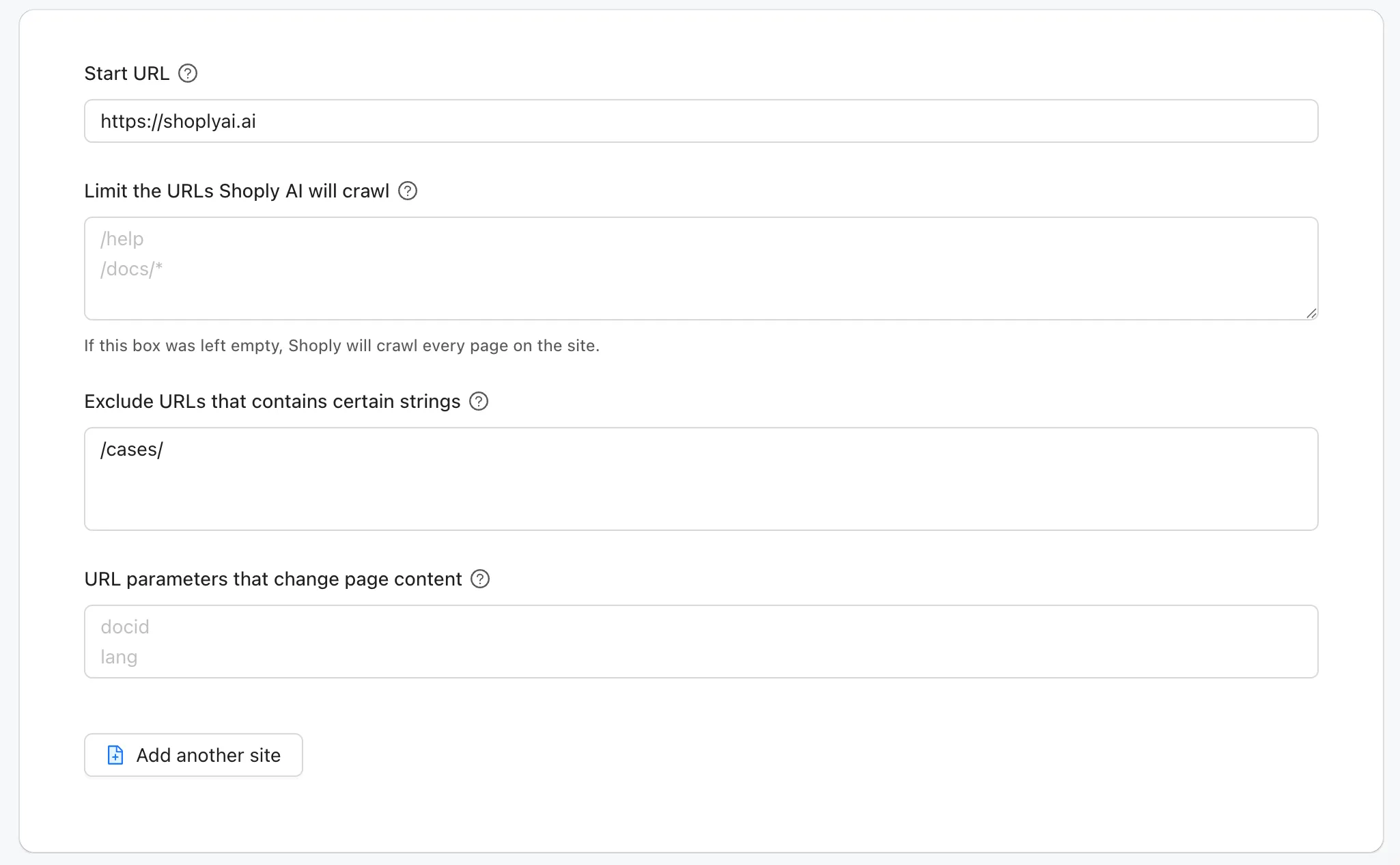
2. Automatic Crawling and Indexing
Shoply doesn’t just do keyword matching — it understands your content semantically. Visitors can ask questions in natural language, even when their wording doesn’t match anything on your pages verbatim.
The index also stays current: as your content changes, Shoply periodically re-crawls and updates automatically. No manual reindexing needed.
3. One Line of JavaScript
For the same script inside a full HTML page, see a complete embedding example in our integration guide.
Add a single script tag to your website:
<script src="https://assets.shoplyai.ai/shoplyjs/shoply_chat_core.js" shoply-site-key="yourwebsite.com" defer="defer"></script>Replace yourwebsite.com with your site key. The chat widget appears as a floating button in the corner of your page — a 24/7 AI chatbot ready to answer visitor questions.
Works with Any Website
Since the integration is just a script tag, it works with any tech stack:
- Next.js / React — add the
<script>tag in your layout or usenext/script - Vue / Nuxt — add to your app template
- WordPress — paste the snippet into your theme’s footer
- Static sites / plain HTML — drop it directly into your page
It doesn’t matter what your site is built with. If it serves HTML, it works.
Fully Customizable
Crawling your pages is just the starting point. You have full control over what your chatbot knows and how it behaves.
AI Knowledge
Beyond the pages Shoply crawls automatically, you can add extra knowledge directly:
- AI Knowledge entries — write custom Q&A pairs or free-form knowledge that the chatbot should know, even if it’s not on any page
- File uploads — upload PDF or TXT files and Shoply will index their content. Great for internal docs, product manuals, or policy documents that aren’t published on your website
This lets you fill in gaps — information your team knows but hasn’t put on the site yet.
Custom Prompts
Add custom prompts to shape how your chatbot responds. Set its tone, tell it how to handle questions it can’t answer, define its persona, or give it specific instructions like “always suggest contacting support for billing questions.” The chatbot becomes an extension of your brand voice, not a generic AI.
Look and Feel
Customize the chat widget to match your site:
- Chat icon — choose an icon and color that fits your brand
- Greeting message — set the first message visitors see when they open the chat
- Starter questions — provide suggested questions so visitors know what to ask right away
Everything is configurable from the admin panel at sitechat.shoplyai.ai — no code changes needed.
What Can It Answer?
The chatbot answers questions based entirely on the content it crawls from your site. Some examples:
- Documentation site: “How do I configure OAuth?” — answered from your docs
- University program: “What are the application deadlines?” — answered from your program pages
- Non-profit: “Where does my donation go?” — answered from your impact pages
- Agency or consultancy: “What industries do you serve?” — answered from your services pages
The chatbot won’t hallucinate or make up answers beyond your content. If it doesn’t know, it says so.
See It in Action
Don’t take our word for it — try it yourself. Visit our demos page to interact with live Site Chat examples running on real websites. Every demo is the same engine you’ll get on your own site.
Get Started in Minutes
Head to sitechat.shoplyai.ai , specify the pages you want crawled, and embed one line of JavaScript. No demo calls needed — your 24/7 AI chatbot will be live in minutes.
Have questions? Reach out anytime:
- Email: customer-obsession@shoplyai.ai
- Or book a meeting and we’ll walk you through it