
Updated
How to Use Claude for Your Shopify Store (2026)
 Frederick Casey Housand - Jul 9, 2026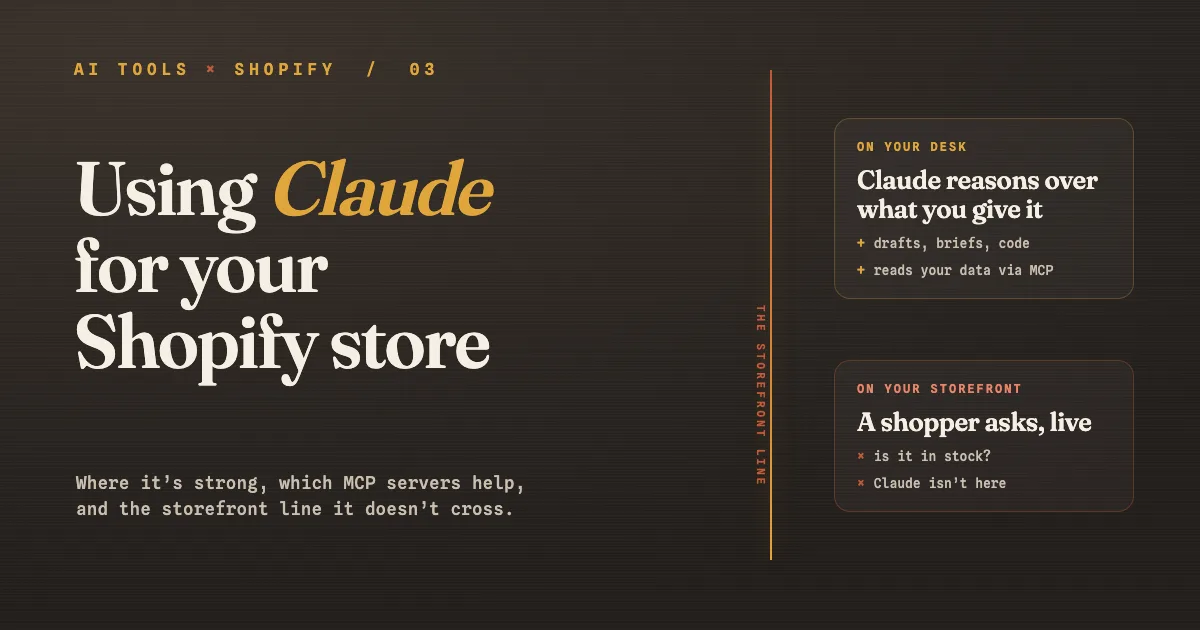
Claude earns its place in a Shopify store the way a sharp analyst does: you hand it real context and it reasons over it. I would rather a store owner run five prompts that give Claude actual store data than copy twenty from a listicle that assume it can already see the catalog. Used well, it drafts your copy and untangles your Liquid. Used badly, it invents your inventory in a confident voice.
So this is a working guide to using Claude correctly for a store: the jobs it does well, how to prompt it, what MCP actually is and which servers connect it to your data, and the one line it does not cross. For the ChatGPT half of this series, see how Shopify owners actually use ChatGPT .
What should a Shopify owner actually use Claude for?
Claude is at its best as your operator-side reasoning tool. The jobs that hold up are product and store copy, SEO and content briefs, reasoning over a pasted export (traffic, orders, a returns report), and code and Liquid help for theme tweaks. The common thread: you bring the raw material and Claude shapes or reasons over it.
It is genuinely strong at multi-step reasoning, which is why analytics questions and Liquid debugging land better here than with a plain chat tool. That is the trait to spend it on.
A quick note on which Claude to reach for, because the names matter. The lineup is three tiers: Opus is the most capable for the hardest reasoning, Sonnet is the balanced daily driver, and Haiku is the fast, low-cost option for quick tasks. For most store work Sonnet is the right default, and you step up to Opus when a problem is genuinely gnarly.
How do you prompt Claude well for store work?
Prompt Claude well by giving it real context and stating your constraints, because it is only as good as the material you hand it. A prompt that opens “write a product description for a candle” gives you fluff; one that opens with your actual specs and top objections gives you copy you can ship. The habit that separates useful from useless is pasting your own data first, then asking Claude to reason over it rather than invent it.
Four patterns that repay saving to a prompt library:
- Store copy: “Here are the specs, materials, and the two objections customers raise most for [product]. Write a 60-word description in a warm, plain voice that answers both.” Paste real specs, or it guesses them.
- SEO brief: “Here is my target query and the three URLs ranking above me [paste]. Give me an H2 outline covering what they miss, plus a 155-character meta.” You supply the SERP; it structures the brief.
- Reason over data: “Here is my last-30-day traffic and conversion export [paste]. Which two numbers moved most, and what is the likeliest cause?” It reasons over what you paste, nothing more.
- Liquid help: “This snippet is meant to hide the Add to Cart button when inventory is zero [paste snippet]. It is not firing. Walk through why and give me the fix.” Concrete code in, concrete fix out.
Where Claude falls down is any task that needs your live store state. On its own it has no connection to your Shopify catalog, so ask “is the blue medium in stock and arriving Friday?” and it hands you a fluent, confident guess. No wording gets past that; it is a data problem, not a prompt problem. The fix is a real connection to your store, which is what MCP gives you.
What is MCP, and can Claude connect to my Shopify store?
MCP, the Model Context Protocol, is Anthropic’s open standard for secure, two-way connections between your data sources and AI tools , introduced in November 2024. In plain terms, it is a common plug: instead of a one-off integration per tool, a data source exposes an MCP server, and an AI app like Claude acts as an MCP client that connects to it. Once connected, Claude can read from and act on that source inside your conversation.
Yes, Claude can connect to your Shopify store this way. In the Claude apps you open Connectors, choose Add custom connector, paste a remote MCP server URL, and sign in. From that point Claude can query the data that server exposes, so “which of my products have not sold in 60 days?” becomes a question Claude can actually answer against your store rather than guess at.
Which MCP servers actually help a store owner?
The servers worth wiring up split into two groups: Shopify’s own first-party servers and general-purpose ones that hold the rest of your store’s context. Shopify shipped a family of official MCP servers through early 2026, so the store-native options are first-party rather than third-party glue.
Start with Shopify’s own:
- Shopify Dev MCP : the one for theme and app work. It grounds Claude in Shopify’s live docs, the GraphQL Admin and Storefront schemas, and the CLI, so code and Liquid come back using real API fields instead of invented ones. Install it with
npx -y @shopify/dev-mcp@latest. For a technical operator this is the most immediately useful of the set. - Shopify Storefront MCP : structured access to a store’s catalog, cart operations, and store policies. Connect it when you want Claude reasoning over your own products and pricing instead of guessing.
- Shopify Catalog MCP : the cross-merchant product-search layer that AI shopping agents actually query. Worth knowing because it helps decide whether your SKUs surface when a shopper asks an agent to find a product, which is the same battle as getting mentioned in ChatGPT .
- Shopify Customer Accounts MCP : authenticated order status, returns, and tracking. Genuinely powerful, and worth handling with care because it touches customer data.
Then the general-purpose servers that hold everything around the store:
- GitHub MCP : read and write on the repo where your theme or custom app lives, so store code changes run through review instead of pasted snippets.
- The official MCP reference servers : the Filesystem server lets Claude work over your product CSVs and exports with scoped access, and the Fetch server pulls a live page (a competitor’s product listing, say) straight into the conversation.
- Beyond Shopify: if your money runs through Stripe, Stripe’s MCP opens the finance side (balances, refunds, disputes), and Zapier’s MCP bridges Claude to thousands of other apps without standing up a server for each. Both put real account access in the loop, so scope the keys and never hand over a secret key.
Pick by the job: if you are debugging a theme, the Dev MCP earns its place first, and if you want Claude answering catalog questions, the Storefront MCP is the one to connect. For your own files and code, add the reference servers and the GitHub MCP.
Where does Claude, even with MCP, stop for a store?
Claude with MCP connects to your desk, not to your shopper’s screen. A connector lets you ask Claude about your store from inside your workspace; it does not put an AI on your storefront answering the shopper looking at a product right now. Those are different jobs.
This gap matters more each quarter. An IBM-NRF study from January 2026 found 45% of consumers now use AI during their buying journeys. When those shoppers land on your store and ask, a workspace tool cannot be the thing that answers.

The storefront half needs an AI wired into your Shopify data, reading stock, price, and order status the moment a shopper asks. Shoply AI is built for exactly that gap. It runs combined AI search and chat in one widget , so a shopper who is half-searching and half-asking gets one answer.
It learns your catalog with zero setup , reads live stock, price, and order status inside the conversation, handles 23+ languages with auto-detection , and holds up on catalogs past a million products . The Shopify App Store listing showed 4.9 from 23 reviews on September 6, 2026. The point is the division of labor: Claude reasons on your desk, a store-wired AI answers on your storefront.
How to split the work between Claude and a store AI
For the other tools around that division of work, plan the wider store-upgrade workflow.
Split the work by asking who is waiting for the answer. If it is you, working through a task you can paste in and edit, that is Claude. If it is a shopper looking at a product and asking in real time, that is a store-wired AI. Keep the two lanes separate and each does its job well. A practical way to put it into practice:
- Use Claude for anything you draft or reason through. Copy, briefs, exports, and Liquid go through Claude, then through you, before anything ships.
- Connect an MCP server when you want Claude reading your own data. Catalog questions, dev work, your files: wire the right server so Claude reasons over reality instead of guessing.
- Put a store-wired AI on your storefront. Real-time shopper questions get real answers, and if you also want to sell inside AI chats, enable buy with AI and confirm your store is found inside ChatGPT .
Do that and Claude stops being a tool you hope answers correctly and becomes a reasoning tool with a clear job, next to a store AI with its own.
Frequently asked questions
Can Claude connect to my Shopify store? Yes, through MCP. In the Claude apps you add a remote MCP server as a custom connector, and Claude can then read your store data inside the conversation. It reads that data in your Claude workspace, not on your storefront.
What is the best MCP server for a Shopify store? It depends on the job. Shopify’s Dev MCP (the AI Toolkit) is best for theme and app work, the Storefront MCP is best for catalog and pricing questions, and general file or code servers help Claude reason over your own briefs and repo.
Can Claude answer my shoppers on my storefront? No. Claude, even connected via MCP, sits in your workspace and answers you. Shopper-facing questions asked live on your store need an AI wired into your store data and running on the storefront itself.
Which Claude model should a store owner use? Sonnet is the sensible default for daily store work, Opus is worth stepping up to for the hardest reasoning, and Haiku is the fast, low-cost choice for quick tasks.
Put Claude on your desk, and an AI on your storefront
Claude earns its place as a reasoning and drafting tool, and MCP extends its reach to your own data when you connect the right server. It does not, on its own or with a connector, answer the shopper standing in your store. To see the storefront half handled, try the Shoply AI demo store or install it from the Shopify App Store , then pair it with the AI automation roundup . Happy selling.