
I Re-built Canva Because I Needed the Same Slide in 23 Languages
 Frank Yang - Sep 6, 2026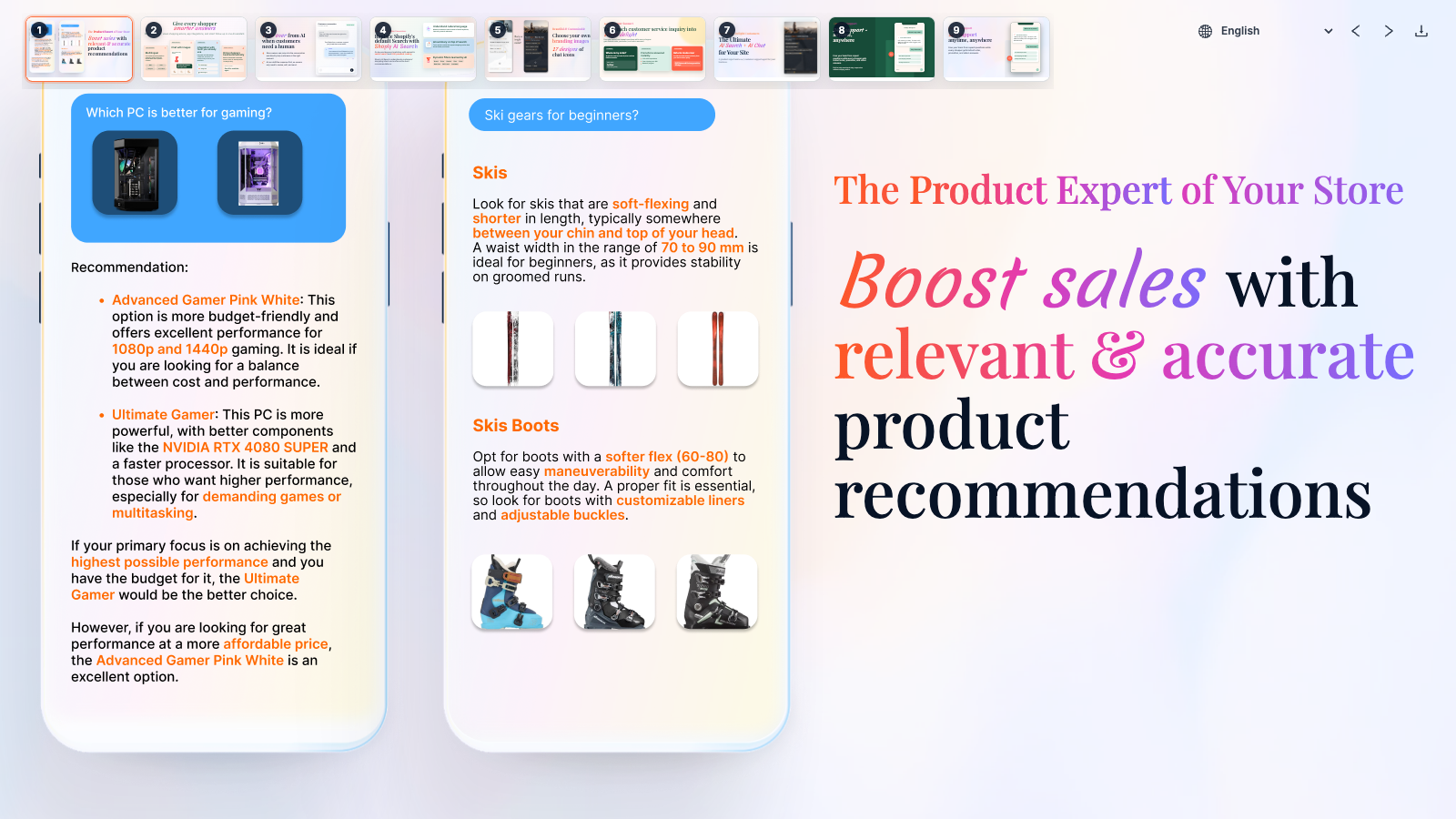
Originally published on X on August 13, 2026.
I was creating nine product slides for Shoply’s Shopify App Store listing, with versions in 23 languages. Every small change to the copy, spacing, or screenshots had to be repeated across as many as 207 Canva pages. After enough rounds of that, I wanted one place where a single change could update every version.
Those slides have a real sales job. Shoply AI Search & AI Chatbot helps online stores answer product questions, recommend items, handle customer support, and let a person take over a conversation. Before installing it, merchants should be able to understand what it does from the Shopify App Store gallery. If the slides looked like unrelated designs, Shoply might look like a collection of unrelated features instead of one product.
Canva became too much work at 23 languages
Canva was a good place to start. It is fast when I am exploring a new design or making a one-off image. The trouble began after the design had settled and I was making the same edits across a growing number of pages.
Every slide used the same fonts, spacing, colors, phone images, screenshots, and fixed dimensions. Each language version used that design with different words. Yet I was maintaining every version as a separate page.
- Rebuild the same layout for every feature.
- Duplicate each slide for every language.
- Adjust translated text when it became too long or broke onto the wrong line.
- Match the same fonts, colors, and spacing by hand.
- Repeat the work whenever the product or copy changed.
None of the individual tasks was difficult. But even an easy task becomes tedious when I have to repeat it page after page.
At that point, I was no longer designing separate slides. I was maintaining the same design across many pages.
That is when a custom tool becomes useful. I would not build one for a single slide, one language, or a design that was still changing. That would be an impressive overreaction. But Shoply had nine repeated layouts, 23 languages, and product screenshots that would continue to change. Most of the work was no longer creative; it was keeping the words, colors, spacing, and screenshots matched across every version.
I built only the slide tools I needed
I call it a tiny Canva because it gives me one place to work on the whole set. It does not try to do everything Canva does. I cannot draw anything I want or start from a large collection of templates. It handles only the work I kept repeating for Shoply.
Each slide is a web page with the same fixed 1600 × 900 size. I used React, a tool for building web pages, so every slide could follow the same set of rules:
- One file holds the wording for every language.
- One shared design controls the fonts, spacing, colors, and backgrounds.
- One workspace shows all nine slides together.
- A download button saves one finished image.
- The tool can rebuild the whole set for me.
The details live in code, but the idea is simple: each slide has a name, and one place decides which design to show. For readers who want to see it, here is a small example:
const slides = [
  { key: 'recommendations', label: 'Recommendations' },
  { key: 'live-chat', label: 'Live Chat' },
];

function createSlideByKey(languageKey) {
  return {
    recommendations: <RecommendationsSlide languageKey={languageKey} />,
    'live-chat': <LiveChatSlide languageKey={languageKey} />,
  };
}
Because every slide follows the same rules, one spacing change updates the whole set. I can also replace a Shoply screenshot once instead of making the same edit across every copied page. I still review the results, but I no longer repeat the edit.
One language switch replaced 23 sets of pages
Choosing a language updates both the words on the slide and the Shoply screen shown inside it.
The wording for every language lives in one place:
{
  "en": {
    "aiSearch": "AI Search",
    "aiChat": "AI Chat"
  },
  "ja": {
    "aiSearch": "AI検索",
    "aiChat": "AIチャット"
  }
}
Choosing a language updates every slide. Arabic, Hebrew, and Urdu read from right to left, so the words and pictures follow that reading direction. Other languages get small adjustments when the words become longer or break onto awkward lines.

English

Japanese

Simplified Chinese

Arabic
I still review every language, but now the work is focused. To check Japanese, I open the Japanese link, inspect the result, and adjust only the part that looks wrong. The shared design and every other text box stay untouched. I would rather argue with one stubborn slide than edit 23 copies.
The same requirement comes from the product itself. Shoply AI can speak with shoppers in their language, so an English-only gallery would hide part of the experience. Using one shared design for every language lets the listing show that experience without turning into 23 loosely related sets of slides.
When this approach works
I would still use Canva or Figma to explore a new design, start from a broad collection of templates, or work with someone who prefers to design by moving things around on the screen. Those tools are better while I am still deciding how the design should look.
This custom slide tool makes sense after the design has settled, the layouts repeat, and every new language creates the same work. It succeeds because it does one job well. I built the parts Shoply needed and left the rest of Canva to Canva.
If your design work has reached that point, count the repeated layouts, languages, and steps needed to save each image. Look for steps that no longer require you to decide what the design should be.
For Shoply, the tool now produces nine matching slides in each of 23 languages for the Shoply AI Search & AI Chatbot Shopify App Store listing . If you want to compare the slides with the actual storefront experience, try the Shoply demo store .