
如何使用 Shoply Merchant API

Shoply Merchant API 讓商戶可安全地在報表工具、支援工作流程、排程匯出及私人業務應用程式中,使用其自身的 Shoply 數據。
每個整合都會使用在 Shoply Settings 建立、可撤銷且只限指定店舖範圍的憑證作驗證。你無需分享 Shopify Admin API access token,而每個整合亦只能存取簽發該憑證的店舖。
我可以用 Merchant API 做甚麼?
你可以使用 Merchant API 來:
- 將每日、每週或每月的成效結果匯出到試算表或資料倉庫。
- 建立私人儀表板,以查看 sessions、chats、searches、product clicks、add-to-cart events、purchases 及 attributed revenue。
- 監察顧客活動,並找出互動異常變化。
- 檢視聊天及搜尋 sessions,以支援客服、商品管理及答案品質相關工作。
- 在調查顧客問題時,擷取個別對話時間線。
- 建立、更新、列出及刪除 Shoply AI 使用的自訂知識。
- 將外部網頁或上傳的 PDF、文字或 Markdown 檔案加入知識庫。
- 將 UTC 事件數據對應至店舖的本地時區。
本指南記錄了七個 endpoints。其中五個與 Shoply Admin → Analytics 使用的 endpoints 相同,另外兩個則用於管理知識庫:
| API | 類別 | 回傳內容 |
|---|---|---|
admin_store_analytics | 成效 | 每日、每週或每月的成效列與總計 |
query_api_usage_count | 互動 | 依 UTC 分鐘或日期分組的活動計數 |
query_sessionized_chat | 對話 | 聊天及搜尋 session 摘要 |
query_log_visualization | 對話 | 單一指定 session 的完整事件時間線 |
admin_get_store_metadata | 店舖設定 | 用於正確顯示 UTC 數據的店舖時區 |
admin_store_knowledge | 知識 | 自訂文字、外部頁面、上傳檔案、刪除及重新爬取 |
user_generated_file | 知識檔案 | 在註冊為知識前上傳 PDF、文字或 Markdown 檔案 |
以下的 response bodies 為具代表性的範例。你的欄位及數值會反映你店舖所記錄的活動。
部署要求: 你所呼叫的 API server 必須已部署店主密鑰驗證。若有效密鑰回傳 HTTP
403並顯示No access_token found,代表該伺服器仍在執行舊版、只支援 access-token 的驗證程式碼。
我如何建立 API 密鑰?
- 開啟你的 Shoply AI admin。
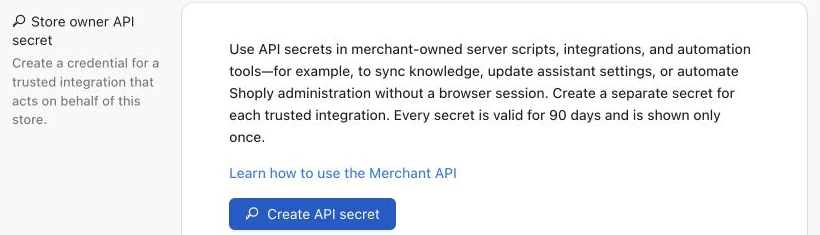
- 前往 Settings → Store owner API secret。
- 建立一個密鑰,並為其命名以識別該整合,例如
Weekly reporting export。 - 當密鑰顯示時立即複製。Shoply 只會顯示一次明文值。
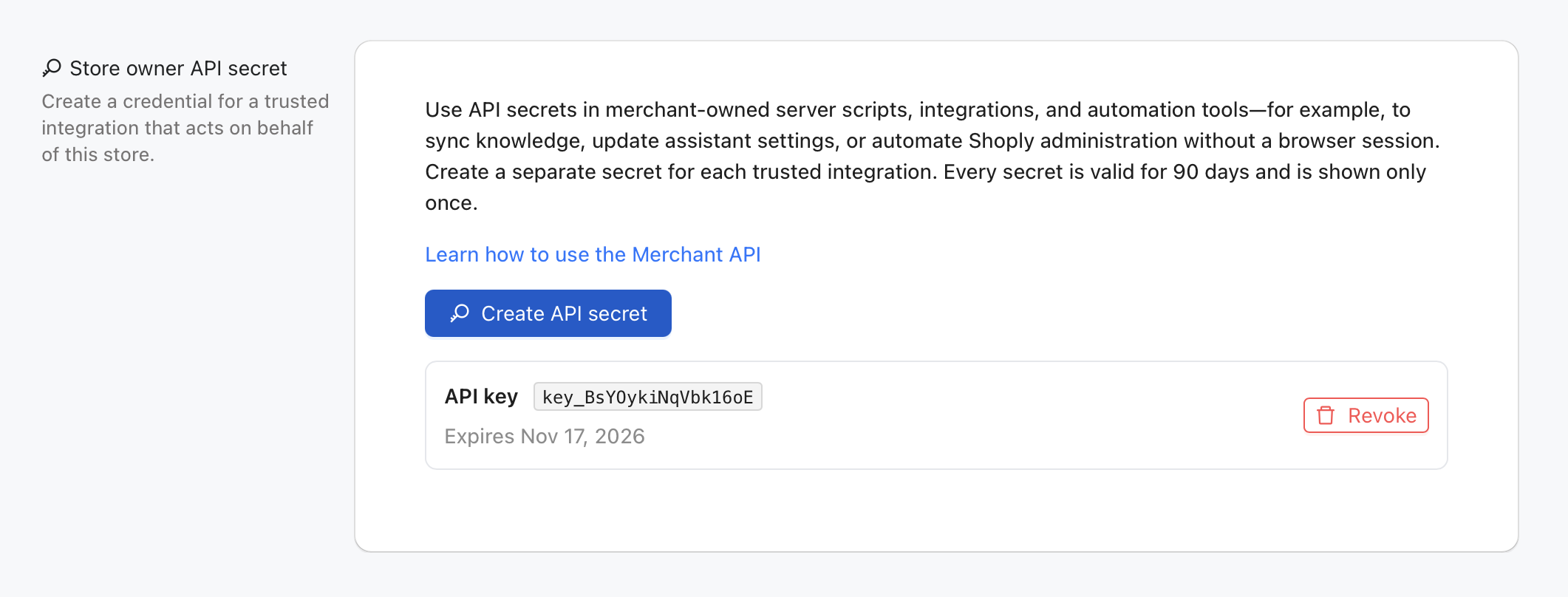
每個密鑰有效期為 90 天。一間店舖可為不同整合建立不同密鑰,而你亦可撤銷其中一個密鑰而不影響其他整合。
請將以下數值儲存為伺服器端環境變數:
export SHOPLY_STORE_KEY="your-store.myshopify.com"
export SHOPLY_STORE_OWNER_API_SECRETE="shoply_owner_key_example123.secret-value"
SHOPLY_STORE_KEY 請使用店舖永久的 myshopify.com 網域,即使顧客平常瀏覽的是自訂網域。
驗證如何運作?
每個 Merchant API request 都會傳送一個 Authorization header,其值是一個 JSON 字串:
{
  "store_key": "your-store.myshopify.com",
  "store_owner_api_secrete": "YOUR_STORE_OWNER_API_SECRET"
}
store_owner_api_secrete 是精確的公開欄位名稱,包括其歷史拼寫。這不是 Bearer token。請直接將完整 JSON 字串放入 Authorization header。
請只在後端程式碼中保存密鑰。不要將它放在 URL、browser bundle、公開程式碼庫、analytics event 或應用程式日誌中。
有官方的 Python 及 Node.js 套件嗎?
有。Shoply 發佈了兩個伺服器端套件,會自動加入所需驗證,並以 typed functions 形式提供 Merchant API。兩個套件都以開源方式發佈於 shoplyai-public GitHub organization。
Python 套件
shoply-merchant-api 套件支援 Python 3.12,並使用 Pydantic v2 response models。請安裝固定版本 2.1.3:
python3.12 -m venv .venv
source .venv/bin/activate
python -m pip install "git+https://github.com/shoplyai-public/shoply-merchant-api.git@v2.1.3"
以 typed SessionSummary models 擷取最新的聊天及搜尋 sessions:
import os

from shoply_merchant_api import ShoplyMerchantClient


with ShoplyMerchantClient(
    store_key=os.environ["SHOPLY_STORE_KEY"],
    api_secret=os.environ["SHOPLY_STORE_OWNER_API_SECRETE"],
) as shoply:
    session_response = shoply.list_sessions(limit=40)

for conversation in session_response.data:
    print(conversation.customer_id, conversation.user_questions)
此套件亦提供 analytics、activity counts、完整 session timelines、店舖時區及知識管理等功能。請參閱其 business-use-case guide 及 API reference 。
Node.js 與 TypeScript 套件
shoply-merchant-api-js repository 提供 @shoplyai/merchant-api 套件,適用於 Node.js 20 或以上版本。它是一個 ESM 套件,內建 TypeScript declarations,且沒有 runtime dependencies。請直接從 GitHub 安裝固定版本 2.1.3:
npm install "github:shoplyai-public/shoply-merchant-api-js#v2.1.3"從 Node.js server 擷取相同的最新 sessions:
import { ShoplyMerchantClient } from "@shoplyai/merchant-api";

const storeKey = process.env.SHOPLY_STORE_KEY;
const apiSecret = process.env.SHOPLY_STORE_OWNER_API_SECRETE;
if (!storeKey || !apiSecret) {
  throw new Error("SHOPLY_STORE_KEY and SHOPLY_STORE_OWNER_API_SECRETE are required");
}

const shoply = new ShoplyMerchantClient({
  storeKey,
  apiSecret,
});

const sessionResponse = await shoply.listSessions({ limit: 40 });

for (const conversation of sessionResponse.data) {
  console.log(conversation.customer_id, conversation.user_questions);
}
npm 套件涵蓋與 Python 套件相同的 Merchant API endpoints。請參閱其 business-use-case guide 及 API reference 。
兩個套件都只適用於可信任的 backend services、scheduled jobs 及私人內部工具。不要將任何一個套件匯入 storefront 程式碼,亦不要在 browser bundle 中暴露 API 密鑰。
我可以不使用套件,直接呼叫 HTTP API 嗎?
可以。Merchant API 仍然是標準 HTTPS API。以下低階 Python 範例使用 Requests,讓你可以看到完整 wire contract,或從其他程式語言進行整合。
如果你的環境尚未包含 Requests,請先安裝:
python -m pip install requests以下 helper 會在每個 request 中加入 store key 及 authentication header:
import json
import os
from typing import Any

import requests

BASE_URL = "https://api.shoplyai.ai"
STORE_KEY = os.environ["SHOPLY_STORE_KEY"]
STORE_OWNER_API_SECRETE = os.environ["SHOPLY_STORE_OWNER_API_SECRETE"]

session = requests.Session()
session.headers.update({
    "Authorization": json.dumps({
        "store_key": STORE_KEY,
        "store_owner_api_secrete": STORE_OWNER_API_SECRETE,
    })
})


def shoply_get(api_name: str, **params: Any) -> dict[str, Any]:
    """Call one store-scoped Shoply API and surface HTTP or API-level errors."""
    response = session.get(
        f"{BASE_URL}/{api_name}",
        params={"store_key": STORE_KEY, **params},
        timeout=30,
    )
    response.raise_for_status()

    payload = response.json()
    if payload.get("error") is not None or payload.get("statusCode") not in (None, 200):
        raise RuntimeError(payload.get("error", "Shoply API request failed"))
    return payload


def shoply_post(
    api_name: str,
    payload: dict[str, Any] | None = None,
    **params: Any,
) -> dict[str, Any]:
    """Write store-scoped data and surface HTTP or API-level errors."""
    response = session.post(
        f"{BASE_URL}/{api_name}",
        params={"store_key": STORE_KEY, **params},
        json=payload,
        timeout=60,
    )
    response.raise_for_status()

    result = response.json()
    if result.get("error") is not None or result.get("statusCode") not in (None, 200):
        raise RuntimeError(result.get("error", "Shoply API request failed"))
    return result
以下範例會使用這個共用 client。兩個 helpers 都會自動加入已驗證的 store key。
我可以透過 API 管理 Shoply AI 知識嗎?
可以。admin_store_knowledge 使用 GET 來擷取知識,並使用 POST 來建立、更新、刪除或重新爬取知識。使用現有 knowledge ID 的 POST 會更新該項目;使用新的 ID 則會建立新項目。
在自動化更新前,請先參考我們訓練指南中的例子,規劃實用的店舖知識。
知識寫入可能會改變顯示給顧客的答案。請為管理知識的系統使用專用密鑰、在傳送前驗證內容,並且切勿在 storefront JavaScript 中暴露這個具寫入權限的憑證。
列出現有知識
knowledge_payload = shoply_get(
    "admin_store_knowledge",
    knowledge_id_to_retrieve="_ALL_",
)

for knowledge_id, knowledge in knowledge_payload["data"].items():
    print(knowledge_id, knowledge.get("title"))
範例回應
{
  "data": {
    "knowledge::shipping-policy": {
      "title": "Shipping policy",
      "text": "Orders leave our warehouse within two business days.",
      "epoch_edit": 1787211246
    }
  }
}
建立或更新自訂文字知識
請選擇一個穩定且唯一的 knowledge ID。更新該項目時請重用相同 ID。
from time import time

knowledge_id = "knowledge::shipping-policy"
result = shoply_post(
    "admin_store_knowledge",
    {
        knowledge_id: {
            "title": "Shipping policy",
            "text": (
                "Orders leave our warehouse within two business days. "
                "Standard delivery normally takes three to five business days."
            ),
            "epoch_edit": int(time()),
        }
    },
)

print(result)
範例回應
{
  "statusCode": 200
}
成功回應代表知識已儲存。搜尋索引可能需要幾分鐘時間,因此新答案未必會即時出現。若 API 回報內容已儲存但索引延遲,請先用 GET 確認已儲存的項目,再決定是否重試寫入。
加入外部網頁
請使用以 external_url:: 開首的 ID。將完整的 http:// 或 https:// URL 放在 text 中。
from time import time

result = shoply_post(
    "admin_store_knowledge",
    {
        "external_url::returns-policy": {
            "title": "Returns and exchanges",
            "text": "https://www.example.com/policies/returns",
            "epoch_edit": int(time()),
        }
    },
)
上傳並註冊知識檔案
知識檔案必須為 PDF、TXT 或 Markdown,且小於 5 MB。請先上傳檔案,再將回傳的私人 S3 位置儲存為知識項目。
from pathlib import Path
from time import time

file_path = Path("shipping-policy.md")
with file_path.open("rb") as file_handle:
    upload_response = session.post(
        f"{BASE_URL}/user_generated_file",
        params={"store_key": STORE_KEY, "folder": "knowledge_file"},
        files={"file": (file_path.name, file_handle, "text/markdown")},
        timeout=60,
    )

upload_response.raise_for_status()
uploaded = upload_response.json()
if uploaded.get("statusCode") != 200:
    raise RuntimeError(uploaded.get("error", "Knowledge file upload failed"))

shoply_post(
    "admin_store_knowledge",
    {
        "knowledge_file::shipping-policy": {
            "title": "Shipping policy document",
            "text": uploaded["file_url"],
            "epoch_edit": int(time()),
        }
    },
)
範例上傳回應
{
  "message": "File uploaded successfully",
  "statusCode": 200,
  "file_url": "s3://shoplystores/your-store.myshopify.com/uploads/shipping-policy.md"
}
請將 file_url 視為由 Shoply 回傳的私有且不可見內部位置。不要自行建立或修改它。
刪除知識
刪除為永久性操作。請先擷取目前項目,並只傳送你打算移除的精確 ID。
result = shoply_post(
    "admin_store_knowledge",
    {
        "knowledge_ids_to_delete": [
            "knowledge::shipping-policy",
            "external_url::returns-policy",
            "knowledge_file::shipping-policy",
        ]
    },
)
請求重新爬取網站
當商戶網站上的內容有變更時,請使用 recrawl。一般而言,每次更新自訂文字後都不需要進行。
result = shoply_post(
    "admin_store_knowledge",
    re_crawl_ind="true",
)
業務使用情境
- 從內部內容系統同步運送、退貨、保養、尺寸或產品護理指引。
- 發佈短期活動或節日資訊,而無需手動複製到 Shoply Admin。
- 作為部署工作流程的一部分,將政策網頁或已批准文件加入知識庫。
- 在政策或推廣結束後,立即移除過時指引。
Merchant API 範例
1. 擷取成效分析資料
admin_store_analytics 為 Analytics → Summary 表格提供資料。它會回傳 sessions、chats、searches、clicks、add-to-cart events、purchases 及 attributed revenue。
Endpoint
GET https://api.shoplyai.ai/admin_store_analyticsQuery Parameters
| Parameter | Required | Description |
|---|---|---|
store_key | Yes | 由共用 client 加入 |
report_type | Yes | daily、weekly 或 monthly |
start_date | Daily/weekly | 採用 YYYYMMDD 格式的包含起始日 UTC 日期 |
end_date | Daily/weekly | 採用 YYYYMMDD 格式的包含結束日 UTC 日期 |
Monthly reports 使用 Shoply 儲存的每月歷史資料,因此不需要日期範圍。
Python 範例
daily_report = shoply_get(
    "admin_store_analytics",
    report_type="daily",
    start_date="20260801",
    end_date="20260820",
)

for row in daily_report["data"]:
    print(row["date"], row["sessions"], row["purchases"], row["revenue"])

print("Totals:", daily_report["totals"])

# Weekly rows use the Monday of each week as their date label.
weekly_report = shoply_get(
    "admin_store_analytics",
    report_type="weekly",
    start_date="20260701",
    end_date="20260820",
)

# Monthly requests do not need start_date or end_date.
monthly_report = shoply_get("admin_store_analytics", report_type="monthly")
範例回應
{
  "data": [
    {
      "date": "20260820",
      "sessions": 42,
      "chats": 18,
      "searches": 24,
      "clicks": 11,
      "add_to_cart": 5,
      "purchases": 2,
      "revenue": "$168.00",
      "revenue_usd": "$168.00"
    }
  ],
  "totals": {
    "date": "totals",
    "sessions": 42,
    "chats": 18,
    "searches": 24,
    "clicks": 11,
    "add_to_cart": 5,
    "purchases": 2,
    "revenue": "$168.00",
    "revenue_usd": "$168.00"
  },
  "report_type": "daily"
}
Revenue 可能包含多於一種貨幣。請將 revenue 視為顯示文字。當你需要使用 Shoply 顯示的標準化美元數值時,請使用 revenue_usd。
業務使用情境
- 向商戶或電商團隊傳送每日銷售影響摘要。
- 比較 searches、product clicks、add-to-cart events 及 purchases,以找出漏斗流失位置。
- 無需擷取 Shoply Admin 頁面,也可為每週或每月的商業情報儀表板提供資料。
- 追蹤 attributed revenue 的時間變化,並與商品管理或活動變動作比較。
2. 擷取店舖時區
admin_get_store_metadata 提供 Analytics → Chat & Search History 中顯示的時區標記。該頁面使用它將 UTC 活動轉換為店舖本地時間。
Endpoint
GET https://api.shoplyai.ai/admin_get_store_metadataQuery Parameters
| Parameter | Required | Description |
|---|---|---|
store_key | Yes | 由共用 client 加入 |
metadata_key | Yes | 使用字面值 time_zone |
Python 範例
timezone_payload = shoply_get(
    "admin_get_store_metadata",
    metadata_key="time_zone",
)

timezone = timezone_payload["data"]
print(timezone["ianaTimezone"], timezone["timezoneOffsetMinutes"])
範例回應
{
  "data": {
    "ianaTimezone": "America/Los_Angeles",
    "timezoneOffset": -7,
    "timezoneOffsetMinutes": -420
  },
  "statusCode": 200
}
業務使用情境
- 將 UTC 活動分組為商戶在 Analytics 中看到的相同本地曆日。
- 在店舖本地日結束後排程每日匯出。
- 以清晰明確的 IANA 時區(例如
America/Los_Angeles)標示報表。
由於夏令時間規則,時區偏移可能會改變。若你的報表系統支援,請優先使用 ianaTimezone,而不是永久儲存單一數值偏移。
3. 擷取活動計數
query_api_usage_count 會回傳按 UTC 日期或原始 UTC 分鐘分組的店舖活動。它亦是 Analytics → Chat & Search History 中活動圖表的資料來源。
Endpoint
GET https://api.shoplyai.ai/query_api_usage_countQuery Parameters
| Parameter | Required | Description |
|---|---|---|
start_dt_utc | Yes | 採用 YYYY-MM-DD HH:mm:ss 格式的 UTC 開始時間 |
end_dt_utc | Yes | 採用 YYYY-MM-DD HH:mm:ss 格式的 UTC 結束時間 |
groupby | No | utc_date 表示每日總計,utc_date_time 表示分鐘列 |
Python 範例
activity = shoply_get(
    "query_api_usage_count",
    start_dt_utc="2026-08-01 00:00:00",
    end_dt_utc="2026-08-20 23:59:59",
    groupby="utc_date",
)

for row in activity["data"]:
    print(row)
範例回應
{
  "data": [
    {
      "utc_date": "2026-08-20",
      "QA": 18,
      "CHAT": 18,
      "SEARCH": 20,
      "CACHED_SEARCH": 4,
      "PRODUCT_SEARCH": 22,
      "CLICK": 11,
      "ADD_TO_CART": 5,
      "CHECKOUT": 2
    }
  ]
}
資料列會包含該時段可用的活動計數器,例如 chat questions、searches、clicks、add-to-cart events 及 checkout events。沒有活動的計數器可能會省略,而不會設為零。
業務使用情境
- 建立如 Chat & Search History 中所示的每小時或每日活動圖表。
- 偵測異常流量高峰或顧客互動突然下跌。
- 比較產品搜尋量與 clicks、add-to-cart events 及 checkouts。
- 估算支援及商品管理團隊應該檢視最繁忙時段的時間。
4. 擷取聊天及搜尋 session 摘要
query_sessionized_chat 會為每個顧客 session 回傳一筆精簡記錄。它亦為 Analytics → Chat & Search History 中的 session 清單提供資料。
Endpoint
GET https://api.shoplyai.ai/query_sessionized_chatQuery Parameters
| Parameter | Required | Description |
|---|---|---|
start_dt_utc | Yes | UTC 開始時間,或字面值 undefined |
end_dt_utc | Yes | UTC 結束時間,或字面值 undefined |
num_sessions | No | 當任一邊界為 undefined 時要選取的 session 數量 |
ScanIndexForward | No | 使用 false 以先選取最新 sessions |
擷取最新 40 個 Sessions
summary_payload = shoply_get(
    "query_sessionized_chat",
    start_dt_utc="undefined",
    end_dt_utc="undefined",
    num_sessions=40,
    ScanIndexForward="false",
)

sessions = summary_payload["data"]
for conversation in sessions:
    print(conversation["customer_id"], conversation.get("user_questions", ""))
擷取指定 UTC 範圍內的 Sessions
summary_payload = shoply_get(
    "query_sessionized_chat",
    start_dt_utc="2026-08-20 00:00:00",
    end_dt_utc="2026-08-20 23:59:59",
    ScanIndexForward="false",
)
當兩個時間邊界都存在時,API 會回傳完整範圍內的 sessions;num_sessions 不會限制這種有邊界的查詢。
範例回應
{
  "data": [
    {
      "customer_id": "customer-or-session-id",
      "user_questions": "Do you have this in blue?\nWhen will it ship?",
      "start_timestamp_ms": 1787184000000,
      "end_timestamp_ms": 1787184065000,
      "session_types": "product information, click",
      "customer_email": null,
      "customer_info": {},
      "sentiment": "positive",
      "num_questions": 2,
      "num_searches": 1,
      "num_clicks": 1
    }
  ]
}
可選欄位會因 session 而異。若你打算擷取完整時間線,請保留 customer_id、start_timestamp_ms 及 end_timestamp_ms。
業務使用情境
- 抽樣檢視近期對話,以作答案品質審核及支援培訓。
- 找出重複出現的顧客問題,以影響產品文案或 FAQ。
- 識別包含 searches、product clicks 或其他購物行為的高意圖 sessions。
- 每個 session 匯出一行作趨勢分析,同時避免較大的事件層級 payload。
5. 擷取單一完整 Session
將選定的摘要傳入 query_log_visualization,即可擷取其顧客、AI、搜尋及商務事件。
Endpoint
GET https://api.shoplyai.ai/query_log_visualizationQuery Parameters
| Parameter | Required | Description |
|---|---|---|
date_time_utc_start | Yes | 以 UTC YYYY-MM-DD HH:mm:ss 格式表示的 session 開始時間 |
date_time_utc_end | Yes | 以 UTC YYYY-MM-DD HH:mm:ss 格式表示的 session 結束時間 |
session_id | No | 該摘要的 customer_id,用於較舊的歷史記錄 |
start_timestamp_ms | Recommended | 該摘要的精確毫秒開始時間戳 |
Python 範例
from datetime import datetime, timezone


def utc_from_milliseconds(timestamp_ms: int) -> str:
    """Format a Shoply millisecond timestamp for the history API."""
    value = datetime.fromtimestamp(timestamp_ms / 1000, tz=timezone.utc)
    return value.strftime("%Y-%m-%d %H:%M:%S")


selected = sessions[0]
timeline_payload = shoply_get(
    "query_log_visualization",
    date_time_utc_start=utc_from_milliseconds(selected["start_timestamp_ms"]),
    date_time_utc_end=utc_from_milliseconds(selected["end_timestamp_ms"]),
    session_id=selected["customer_id"],
    start_timestamp_ms=selected["start_timestamp_ms"],
)

for event in timeline_payload["data"]:
    print(event.get("server_timestamp_ms"), event.get("action_type"))
範例回應
{
  "data": [
    {
      "action_type": "QA",
      "session_id": "customer-or-session-id",
      "utc_date_time": "2026-08-20 00:00:00",
      "start_timestamp_ms": 1787184000000,
      "server_timestamp_ms": 1787184000123,
      "Q": {
        "question": "Do you have this in blue?",
        "question_context": {}
      },
      "task_id": "task-id",
      "list_tokens": [
        {
          "data_type": "LLMOutput",
          "data": "Yes. These blue options are currently available."
        }
      ],
      "dict_search_results": {}
    }
  ]
}
該時間線可包含顧客問題、AI 回答、搜尋結果、product clicks、add-to-cart events、checkout events 及人工客服參與。請使用 server_timestamp_ms 來排序混合事件類型。較舊記錄可能包含較少欄位。
業務使用情境
- 在支援調查期間,精確審核顧客問了甚麼,以及 Shoply 如何回答。
- 連同展示給顧客的搜尋結果及產品,一併檢視答案品質。
- 重建由提問到點擊、加入購物車或結帳的歷程。
- 在無需搜尋無關歷史的情況下,診斷顧客回報的單一 session。
我可以用同一個密鑰存取所有 API 嗎?
可以。有效的 store_owner_api_secrete 只限於單一店舖範圍,並可用於以上所有 Merchant API endpoints。對於 SiteChat 帳戶,同一密鑰亦可驗證catalog upload APIs。為了更安全的操作,建議為不同系統使用不同名稱的密鑰——例如一個用於每晚數據匯出,另一個用於內部儀表板。
如果某個整合已停用或遭到入侵,只需在 Shoply Settings 撤銷其密鑰。其他整合將可繼續運作。
關於到期、私隱及錯誤,我需要知道甚麼?
你亦可查閱 Shoply 資料來源與私隱,以了解哪些資訊可用於顧客答案。
- 店主 API 密鑰會於 90 天後到期。請在到期日前建立替代密鑰並更新整合。
- Shoply 標準聊天及搜尋歷史保留期同樣為 90 天。密鑰到期與資料保留屬於不同政策。
- 歷史回應可能包含個人資料,包括顧客識別資料、電郵地址、約略位置、問題及購物活動。請按你的私隱政策及適用法律儲存和處理這些資料。
- HTTP
403表示密鑰缺失、無效、已過期、已撤銷,或屬於其他店舖。 - HTTP
422通常表示必要 query parameter 缺失或名稱錯誤。 - HTTP
500或帶有statusCode: 500的回應,表示請求已送達 Shoply,但未能完成。對暫時性失敗請使用 backoff 重試,如錯誤持續請聯絡我們。 - 請為匯出及定期工作使用有邊界的 UTC 範圍,以保持回應大小可控。
產品搜尋是否屬於 Merchant API 的一部分?
Shoply 的公開產品搜尋 API 使用不同的驗證及 request contract。若你需要面向顧客體驗的產品搜尋結果,而非私人商戶數據,請參閱如何透過 API 存取 Shoply AI Search。
SiteChat 商戶可以上傳產品目錄嗎?
可以。SiteChat 帳戶可使用相同的店主 API 密鑰,上傳結構化產品及產品圖片。這些 catalog endpoints 已於如何為 SiteChat 上傳你的目錄中另作說明。Shopify 店舖則會繼續透過 Shopify 同步產品,並不使用這些上傳路由。
如需整合協助,請聯絡 Shoply AI。