
如何使用 Shoply AI Search API
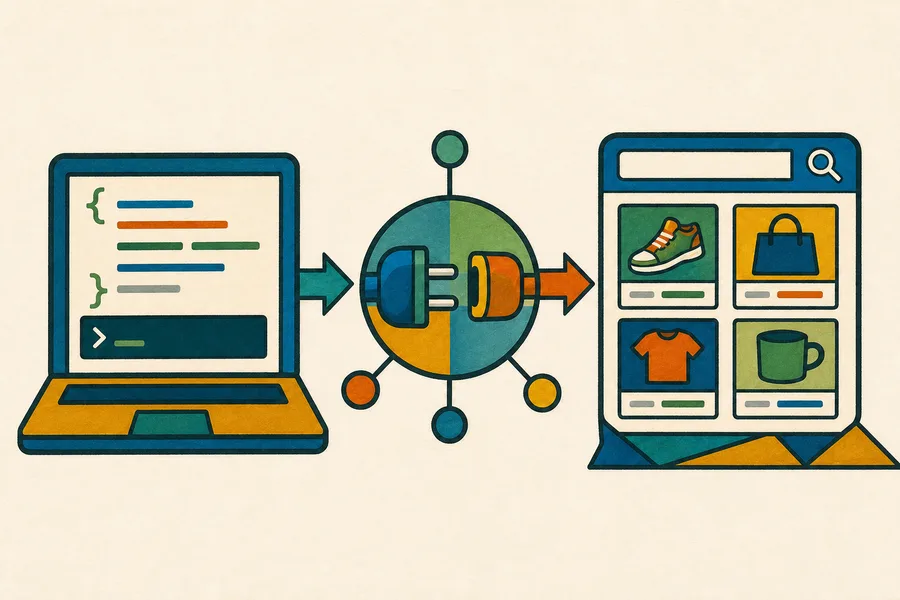
可以。您可以从自己的后端以编程方式查询 Shoply AI Search,而无需加载站内小部件,也无需通过您的 Shopify 店面发送请求。
标准搜索 API 适用于每个包含 AI Search 的 Shopify 套餐,包括 Forever Free。API 请求与通过店面小部件发起的搜索共用相同的每月搜索额度。请在我们的定价页面查看当前限制。
如果您需要更高的限制、服务级别协议、自定义数据源,或是不使用 Shoply 索引的 Shopify 商品目录的集成,请联系我们了解 Enterprise 套餐。
开始之前
请在您想要搜索其商品目录的 Shopify 商店中安装 Shoply AI,并等待初始商品索引完成。您将需要该商店的永久 myshopify.com 域名,例如:
your-store.myshopify.com该 API 可从任何后端环境中调用。标准商品搜索端点不需要单独的 API 密钥,因为它返回的是 Shoply 可在店面搜索体验中显示的相同公开商品目录信息。
端点
POST https://api.shoplyai.ai/product_query_v2
Content-Type: application/json
请求体
| 字段 | 必填 | 说明 |
|---|---|---|
store_key | 是 | 您商店的永久 myshopify.com 域名 |
query | 是 | 一个 JSON 编码的字符串,其中至少包含 keywords 字段 |
start | 否 | 用于分页的从零开始结果偏移量;默认为 0 |
limit | 否 | 返回的最大商品数量;默认为 4 |
query 是请求体中的 JSON 字符串,而不是嵌套的 JSON 对象。例如,搜索短语 waterproof hiking boots 的发送方式如下:
"{\"keywords\":\"waterproof hiking boots\"}"cURL 示例
将 your-store.myshopify.com 替换为您商店的永久 Shopify 域名:
curl --request POST "https://api.shoplyai.ai/product_query_v2" \
  --header "Content-Type: application/json" \
  --data '{
    "store_key": "your-store.myshopify.com",
    "query": "{\"keywords\":\"waterproof hiking boots\"}",
    "start": 0,
    "limit": 8
  }'
JavaScript 示例
// Build the inner query separately because the API expects it as a JSON-encoded string.
const searchQuery = JSON.stringify({
  keywords: "waterproof hiking boots"
});

const response = await fetch("https://api.shoplyai.ai/product_query_v2", {
  method: "POST",
  headers: {
    "Content-Type": "application/json"
  },
  body: JSON.stringify({
    store_key: "your-store.myshopify.com",
    query: searchQuery,
    start: 0,
    limit: 8
  })
});

if (!response.ok) {
  throw new Error(`Shoply search failed with status ${response.status}`);
}

const results = await response.json();
console.log(results.docs);
Python 示例
import json
import requests

# The query value is encoded separately to match Shoply's structured search contract.
payload = {
    "store_key": "your-store.myshopify.com",
    "query": json.dumps({"keywords": "waterproof hiking boots"}),
    "start": 0,
    "limit": 8,
}

response = requests.post(
    "https://api.shoplyai.ai/product_query_v2",
    json=payload,
    timeout=30,
)
response.raise_for_status()

results = response.json()
print(results["docs"])
响应
成功的请求将返回:
{
  "num_results": 2,
  "docs": [
    {
      "product_id": "gid://shopify/Product/1234567890",
      "url": "https://your-store.example/products/example-product",
      "product_name": "Example Product",
      "brand": "Example Brand",
      "current_price": "129.00",
      "currency": "USD",
      "main_image": "https://cdn.shopify.com/example-product.jpg",
      "selected_variant_id": "gid://shopify/ProductVariant/1234567891"
    }
  ],
  "display_filters": []
}num_results是匹配商品的总数。docs包含所请求页面中按相关性排序的商品。display_filters包含可用筛选条件,例如价格、品牌、颜色或其他商品目录特定属性。
商品对象可能会根据商店的商品目录、变体、定价和 Shoply 配置包含其他字段。客户端应使用所需字段,并安全地忽略不熟悉的字段。
分页
使用 start 和 limit 请求更多结果。例如,在使用 start: 0 和 limit: 8 请求了八个商品之后,可通过以下方式请求下一页:
{
  "start": 8,
  "limit": 8
}
当 start + docs.length 大于或等于 num_results,或者 docs 为空时,请停止请求。
套餐与集成说明
如果您的自定义店面也需要对话功能,请参考为 headless Shopify 店面添加聊天功能。
- 标准 API 搜索可自助使用,不需要站内小部件。
- 您的 Shopify 商店必须持续连接到 Shoply AI,以便其商品索引保持最新。
- API 搜索和店面搜索共用您 Shopify 套餐的每月搜索额度。
- 如果您希望集中处理缓存、日志记录、重试或访问控制,请将调用保留在您的后端。
- 如果您需要自定义身份验证、保证吞吐量、SLA、非 Shopify 商品目录,或超出已发布套餐的限制,请联系我们获取 Enterprise 支持。
如果您需要帮助确认 store key 或规划生产环境集成,请联系 Shoply AI。