Published
How to Restrict Chatbot Access by Country
Sometimes you want the Shoply AI chatbot to be available only in certain countries, or you want to block it from appearing in specific countries. This page explains how to configure country-level access control using the Advanced Settings.
Where to find Advanced Settings?
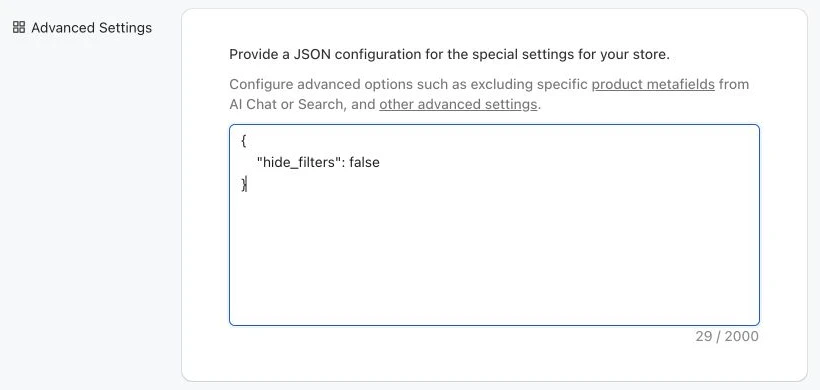
Go to the “Settings” section of the app’s admin console, and then scroll down to the “Advanced Settings” section. In this section, you can provide a JSON object to configure various settings.
How It Works
Shoply detects the visitor’s country from their IP address. Based on your configuration, visitors from blocked countries may still see the chatbot, but they will not be able to interact with it.
There are two modes:
- Whitelist mode — only allow interaction for visitors from countries you explicitly allow. Everyone else sees the chatbot but cannot use it.
- Blacklist mode — allow interaction for all visitors, except those from countries you explicitly block.
If neither setting is configured, the chatbot is fully available to all visitors worldwide (the default).
Settings
Both settings are configured in the Advanced Settings JSON.
whitelisted_geos (Whitelist Mode)
A list of countries that are allowed to interact with the chatbot. Visitors from any country not on this list will see the chatbot but will not be able to use it.
Use this when your store serves a specific set of markets and you want to restrict interaction everywhere else.
Format: Each entry is an object with a countryCode field using the ISO 3166-1 alpha-2 two-letter country code.
Example — only allow the chatbot in the US and Canada:
{
  "whitelisted_geos": [
    { "countryCode": "US" },
    { "countryCode": "CA" }
  ]
}
blocked_geos (Blacklist Mode)
A list of countries whose visitors are blocked from interacting with the chatbot. They may still see the chatbot, but will not be able to use it. Visitors from any country not on this list can interact normally.
Use this when you want broad availability but need to restrict specific countries.
Example — block visitors from the US and Canada:
{
  "blocked_geos": [
    { "countryCode": "US" },
    { "countryCode": "CA" }
  ]
}
Important Notes
Country restrictions control access; language detection determines the language of the experience for visitors who can use it.
- Whitelist takes priority. If
whitelisted_geosis set,blocked_geosis ignored entirely. - Use one mode at a time. Either whitelist the countries you want, or blacklist the ones you don’t — not both.
- Country codes are case-insensitive (
"us"and"US"both work). - If a visitor’s country cannot be determined, they are not blocked and can interact normally.
Common Country Codes
| Country | Code |
|---|---|
| United States | US |
| Canada | CA |
| United Kingdom | GB |
| Australia | AU |
| Germany | DE |
| France | FR |
| Japan | JP |
| Brazil | BR |
| India | IN |
| Mexico | MX |
For a full list of country codes, see the ISO 3166-1 alpha-2 reference .