
如何通过 Shoply Add-on 在 Gmail 中获取建议邮件回复
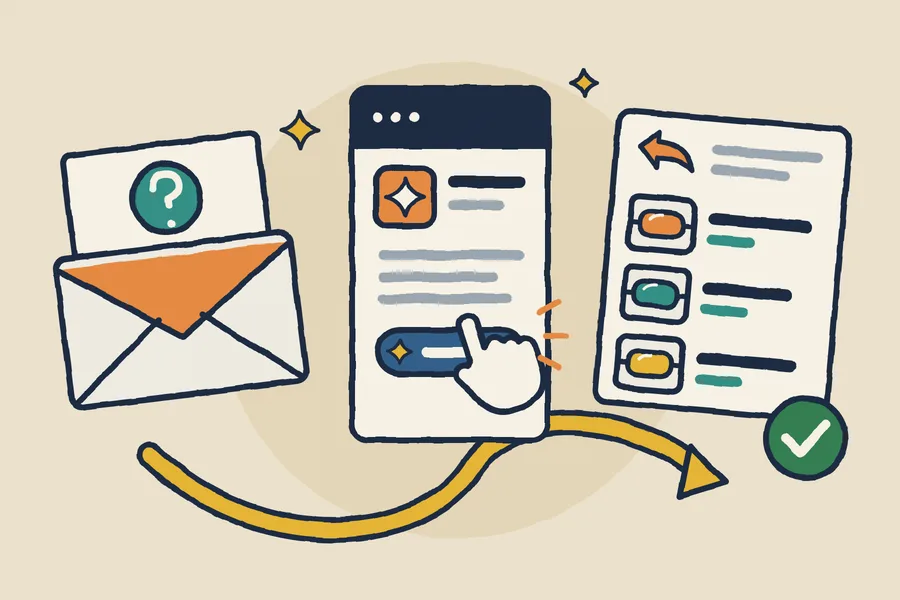
Shoply AI Email Assistant 是一个面向使用 Shoply AI 的商店的 Gmail 加载项。在网页版 Gmail 中打开一封客户邮件,按下 Suggest reply,Shoply 就会根据您商店的产品、政策和订单信息撰写回复,就像它在您商店的聊天中回复购物者一样。再点击一次,就可以将该回答变成回复草稿。您可以先阅读它,按需编辑,然后由您自己按下发送。
该加载项目前处于试点阶段。只有在 Shoply 的 AI Email Assistant 试点名单中的商店才能获取建议回复。如需加入,请发送邮件至 support@shoplyai.ai。
这个加载项有什么作用?
- 只有在您主动请求时才会运行。 打开邮件时不会向 Shoply 发送任何内容。只有当您按下 Suggest reply 或 Regenerate 时,加载项才会发送您当前打开的那封邮件。
- 它只会撰写草稿,绝不会发送邮件。 Insert as reply draft 会在 Gmail 中打开一封发给发件人的回复,并将答案填入其中。该加载项无法发送邮件。
- 对于不确定的邮件,它会交由您处理。 当 Shoply 没有足够把握,或者邮件属于营销或垃圾邮件时,面板会显示该邮件需要人工回复。
- 它不能更改订单。 在撰写回复时,Shoply 无法取消订单或执行任何其他操作。回复只是供您审批的文本。
开始之前
- 一间在试点名单中的商店,并且已设置好 Shoply AI。
- 网页版 Gmail,并使用您用来回复客户的 Google 账户。
- 您商店的 Shoply 管理后台,用于复制商店密钥并创建 secret。
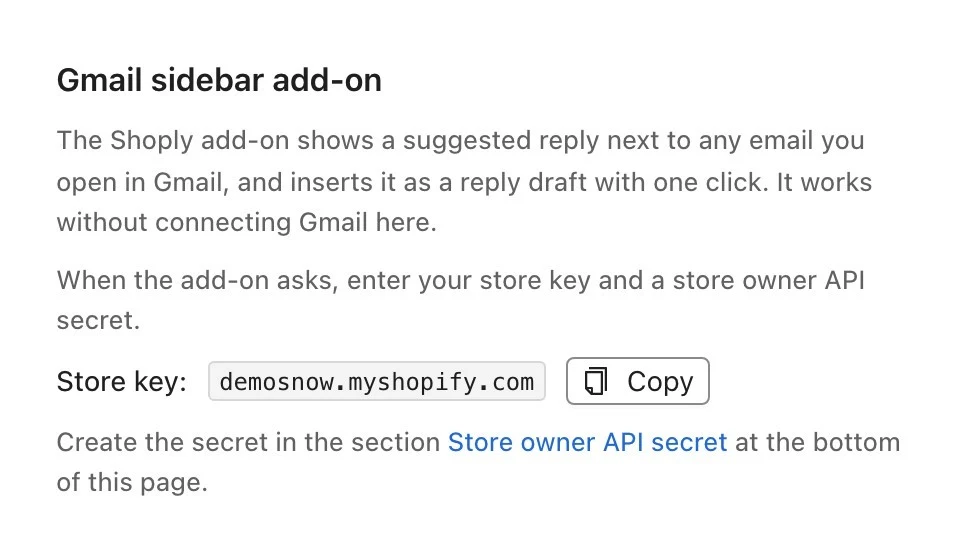
第 1 步:复制您的商店密钥
在 Shoply 管理后台中,打开 Settings,然后在 AI Email Assistant 部分找到 Gmail sidebar add-on。点击商店密钥旁边的 Copy。
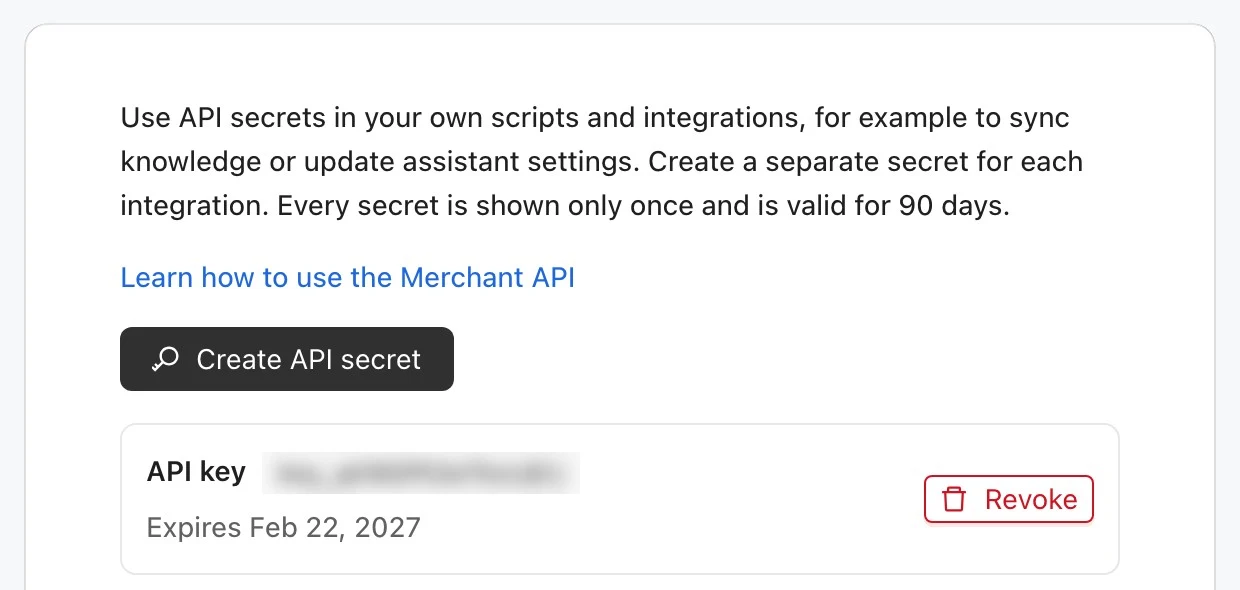
第 2 步:创建店主 API secret
在同一个 Settings 页面中,在 Store owner API secret 部分点击 Create API secret,并立即复制该 secret。Shoply 只会显示它一次,而且它的有效期为 90 天。
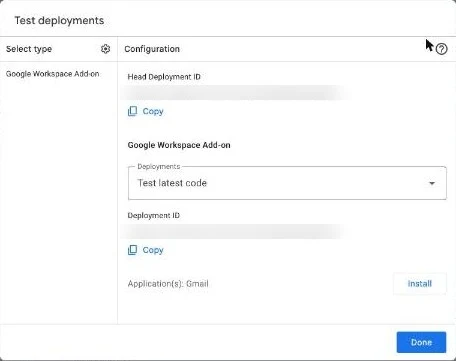
第 3 步:安装加载项
在试点期间,Shoply 支持团队会为您的 Google 账户开通该加载项的访问权限。打开 Google 发送给您的链接,选择 Deploy,然后选择 Test deployments,接着点击 Install,再点击 Done。
第 4 步:打开加载项并授予所需权限
在网页版 Gmail 中打开任意一封邮件,然后点击右侧边栏中的橙色 S 图标。第一次使用时,面板会显示“Permission required”。点击 Grant permission 并在 Google 的授权页面上批准。

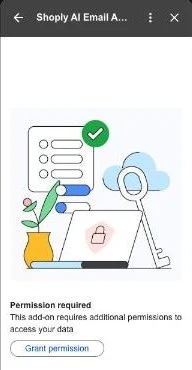
该加载项会向 Google 请求四项权限:
- 作为 Gmail 加载项运行,以便显示在 Gmail 的侧边面板中。
- 读取当前打开的邮件,以便在您请求时将这封邮件发送给 Shoply。
- 在您按下按钮时创建草稿,以便将回复插入为草稿。
- 连接到外部服务,以访问 Shoply 在 api.shoplyai.ai 上的服务器。
第 5 步:连接您的商店
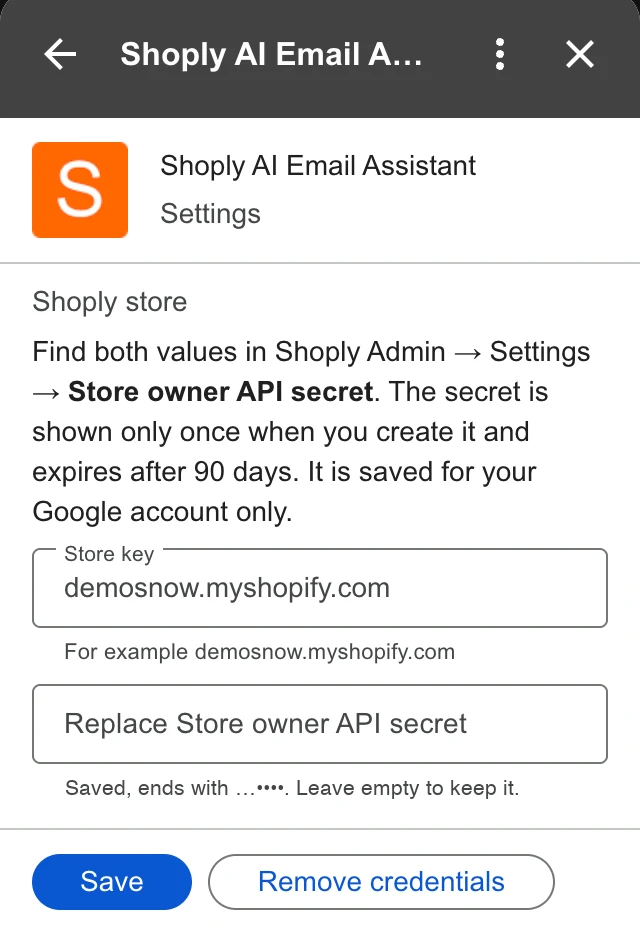
点击 Open settings,粘贴商店密钥和 secret,然后点击 Save。加载项会将这两项内容保存在您的 Google 账户中该加载项的私有存储里。保存后,它只会显示 secret 的后四个字符。
如何获取建议回复?
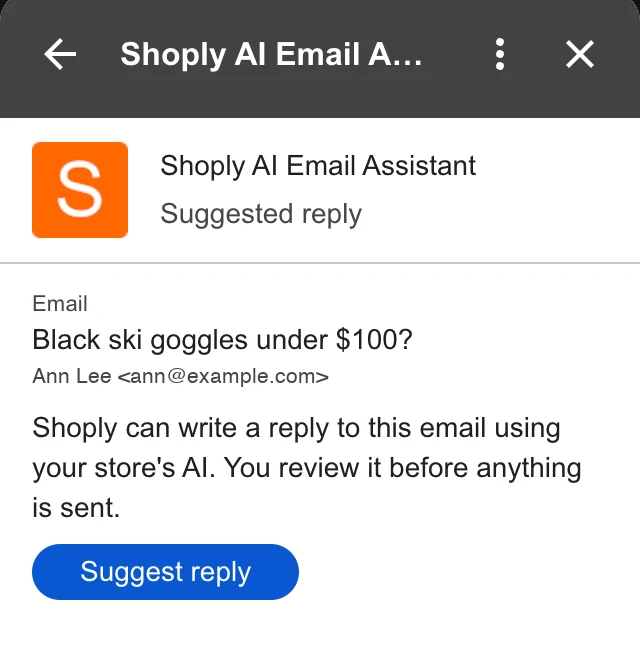
- 打开一封客户邮件并按下 Suggest reply。面板会先显示邮件的主题和发件人。
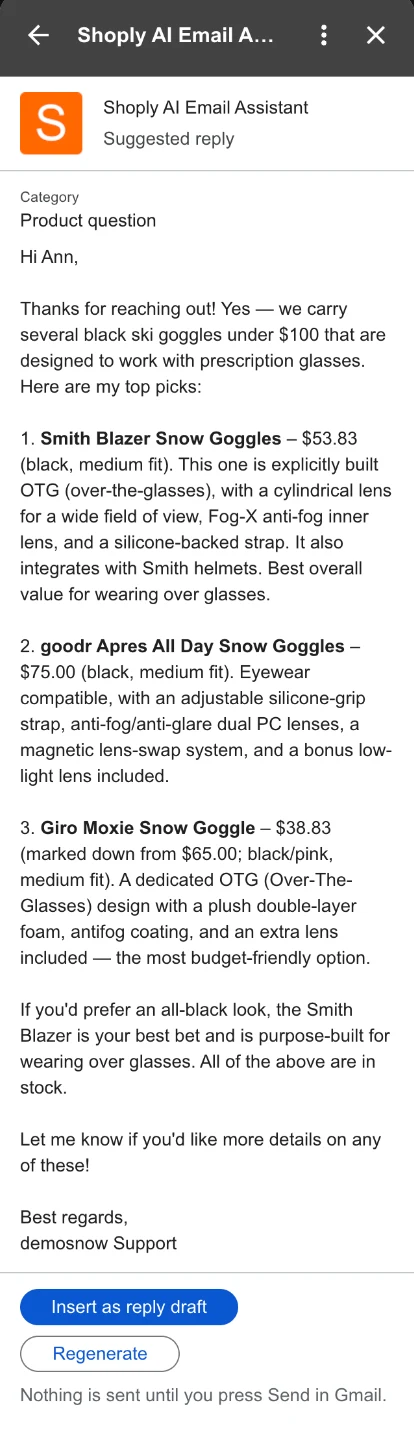
- 几秒后,面板会显示邮件类型和 Shoply 的回复,其中产品名称会加粗显示。如果回复没有切中要点,请按下 Regenerate。
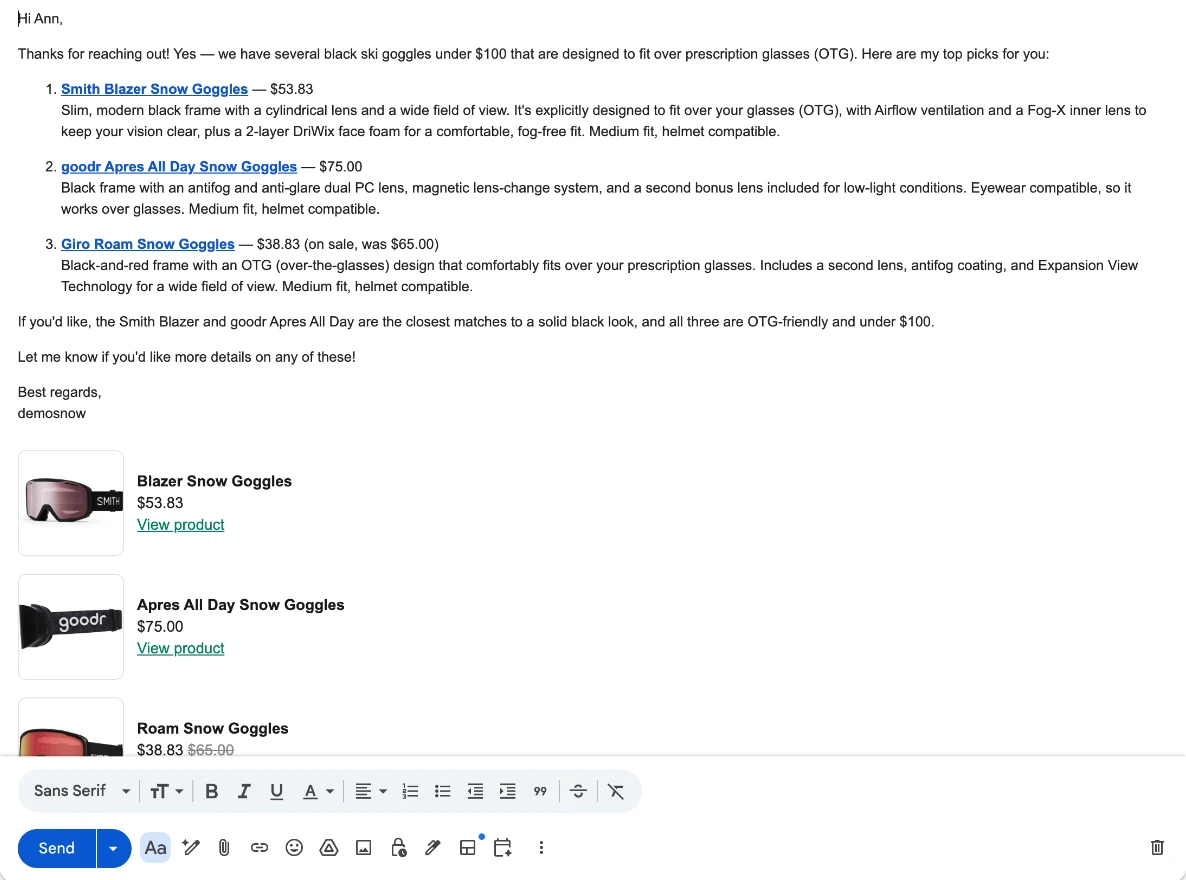
- 点击 Insert as reply draft。Gmail 会打开一封给发件人的回复,并以格式化形式填入答案:产品名称会变成链接,每个产品后面还会附带一张包含图片和价格的卡片。您可以按需编辑,然后点击 Send。
每条建议回复都会计入我的套餐吗?
会。每条建议回复都会按一次 chat 计入您套餐在当前计费周期内的 chat 配额,就像与购物者进行一次对话一样。Regenerate 会生成一条新的回复,因此也会计为另一次 chat。当 Shoply 表示某封邮件需要人工回复时,该回答不会消耗 chat。
该加载项会使用哪些邮件数据?
只有当您按下 Suggest reply 或 Regenerate 时,加载项才会将当前打开邮件的主题、日期、消息 ID、发件人、To 和 Cc 地址,以及最多 20,000 个字符的邮件文本发送给 Shoply。它绝不会发送附件,也不会发送您邮箱中的其他邮件。Shoply 会将每次请求的记录保留 90 天,以便其显示在您 Shoply 管理后台的最近邮件列表中,之后会将其删除。Shoply 对 Google API 信息的使用遵循 Google API Services User Data Policy,包括其 Limited Use 要求。
如何断开连接或移除该加载项?
- 要断开您的商店连接,打开加载项菜单(三个点),选择 Settings,然后点击 Remove credentials。这会从您的 Google 账户中删除已保存的商店密钥和 secret。
- 要移除该加载项,打开加载项菜单并选择 Manage add-on。
- 要让某个 secret 停止生效,请在 Shoply 管理后台的 Store owner API secret 部分中点击其旁边的 Revoke。
我可以在哪里获取帮助?
请发送邮件至 support@shoplyai.ai。加载项中的 Help 菜单项会打开本页面。