
如何将 Intercom、Front 或 Help Scout 连接到 Shoply AI
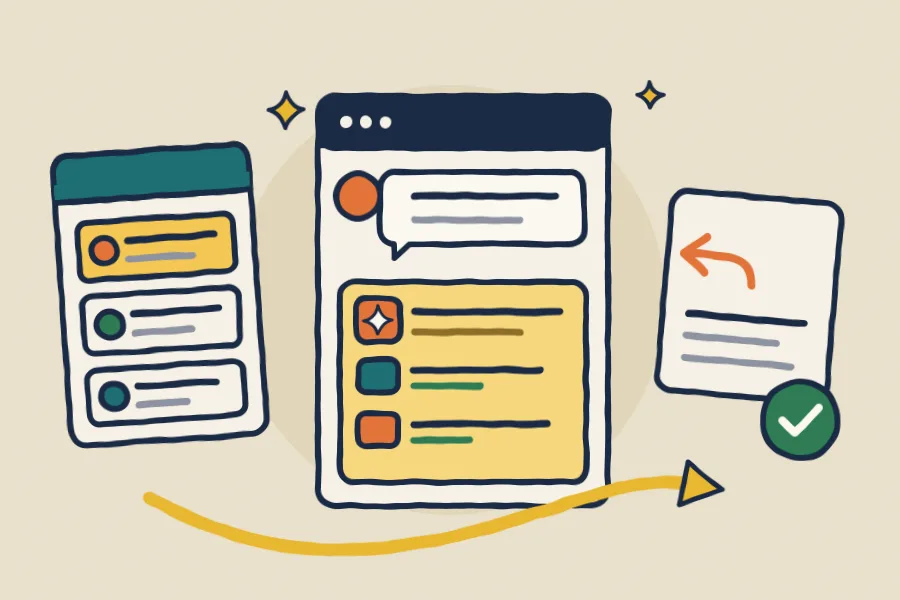
当你的团队在 Intercom、Front 或 Help Scout 中回复客户时,仍然需要有人为每个会话写出第一条回复,而且许多会话都在询问相同的订单状态和产品问题。将你的帮助台连接到 Shoply AI 后,Shoply 会直接在会话中回复新的客户消息,而那些它无法很好回答的消息则交给你的团队处理。它使用与你商店聊天相同的产品、政策和订单知识。根据你选择的 Reply mode,每条回复要么是供团队审核并复制到正式回复中的私密备注,要么是直接发送给客户的回复。
目前,只有加入我们早期访问计划的商店才能连接 Intercom、Front 或 Help Scout。若要加入,请发送邮件至 support@shoplyai.ai,我们会在你的商店可以连接时通知你。
Shoply 在我的帮助台中会做什么?
- 它大约每分钟检查一次新消息。 Shoply 会查找自上次检查以来有新客户消息的会话,因此回复通常会在一到两分钟内出现。
- 它会回复客户最新的一条消息。 Shoply 会结合该会话之前的消息以及最多 5 个附件(如照片或 PDF)一起阅读。
- 它遵循你的 Reply mode。 Shoply 会发布私密备注,或对你允许的消息类型直接回复。
- 它会跳过自己无法很好回答的消息。 当 Shoply 没有足够把握,或者该消息属于自动消息、营销消息或垃圾信息时,它不会发布任何内容。你的团队会像往常一样处理该会话。
- 它绝不会读取你的私密备注。 备注中通常包含成本价格或其他客户案例,因此 Shoply 不会将它们纳入读取范围。
- 它无法更改订单。 Shoply 只能添加备注或回复。它不能取消订单、发起退款或关闭会话。
- 每条回复都计为一次 chat。 Shoply 回答的每条客户消息都会消耗你套餐中的一次 chat。
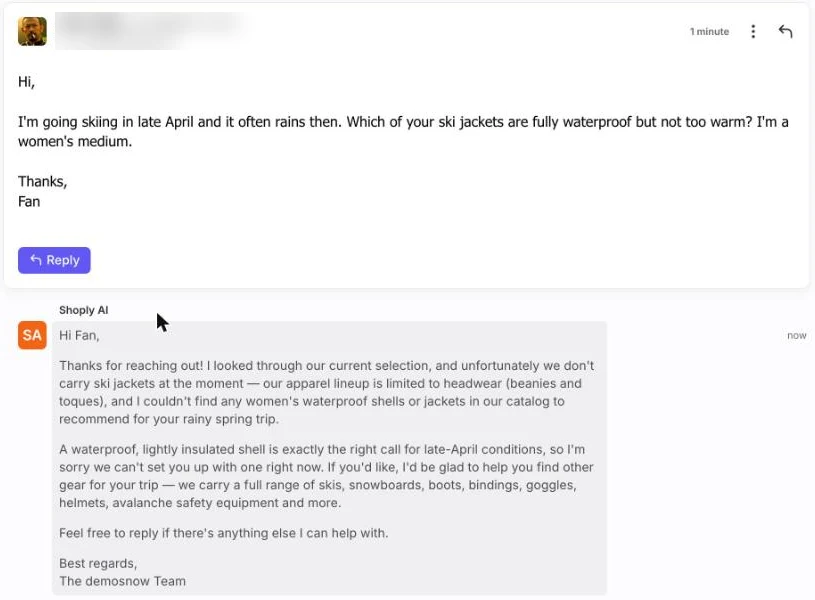
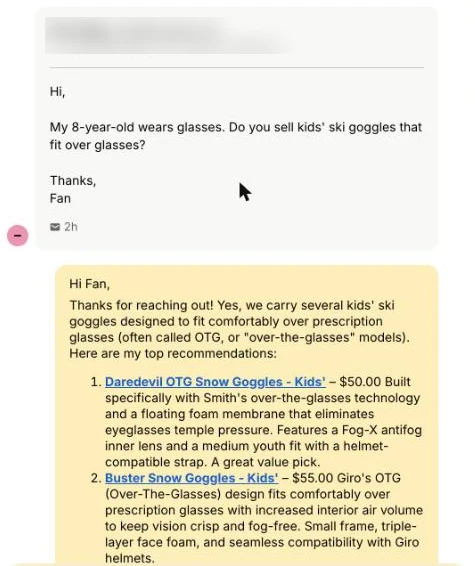
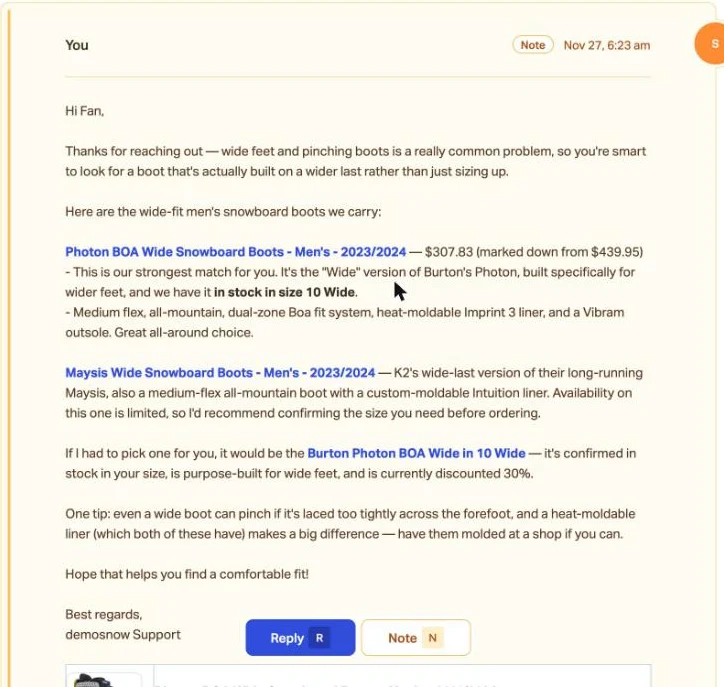
备注中只包含 Shoply 的回复,可直接复制到你的正式回复中。产品名称会链接到你的商店。
| Helpdesk | Shoply 的回复显示为 | 发布身份 |
|---|---|---|
| Intercom | 会话中的一条备注 | 批准 Shoply 的 Intercom 管理员 |
| Front | 一条仅你的队友可见的评论 | Shoply AI app |
| Help Scout | 会话中的一条备注 | 批准 Shoply 的 Help Scout 用户 |
开始之前
- 你的商店已加入早期访问。 请等待我们发送邮件,确认你的商店可以连接。
- 你的帮助台中的管理员账户。 Intercom 和 Front 仅允许管理员授权 app。在 Help Scout 中,Shoply 会以批准它的用户身份运行。
- Help Scout:包含 API 的套餐。 Help Scout 的 Free 套餐不提供 API 访问,因此连接需要使用其 Standard 或更高套餐。
你无需从帮助台复制任何密钥。系统会打开一个来自你的帮助台的窗口,你只需在那里批准 Shoply AI。如果你已经在此浏览器中登录了帮助台,它可能会直接以该用户身份批准 Shoply AI,而不会再次询问。请先确认你登录的是团队期望使用的管理员账户。
连接你的帮助台
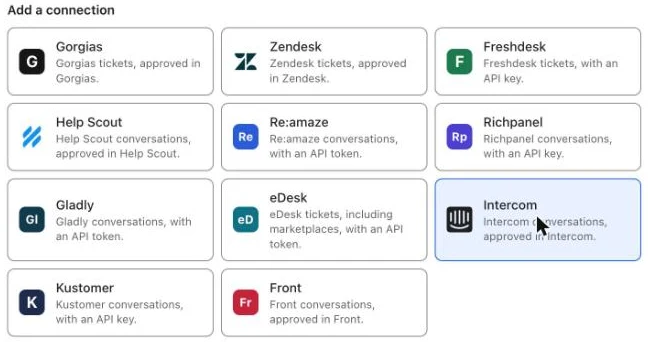
- 在 Shoply 管理后台中,打开 Settings → Email and helpdesk。在 Add a connection 下,点击 Intercom、Front 或 Help Scout。
- 仅限 Intercom: 选择你的 Intercom workspace 所在的区域:United States、Europe 或 Australia。Intercom 会在 Settings → Workspace → General 中显示该信息。Intercom 的授权页面会因区域不同而不同。
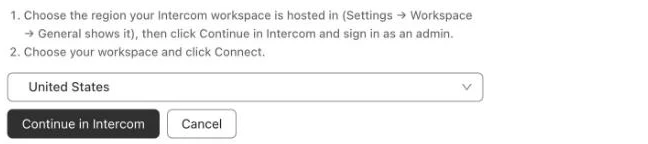
- 点击 Continue in Intercom、Continue in Front 或 Continue in Help Scout。
- 系统会打开一个来自你的帮助台的窗口。以管理员身份登录并在其中批准 Shoply AI。随后窗口会关闭,你的账户将显示在 Email and helpdesk 中。
如果连接失败怎么办?
Shoply 会在页面顶部显示失败原因。请检查你是否以管理员身份登录;如果是 Intercom,还要确认你选择了 workspace 所在的区域,然后再试一次。
我该如何在备注和直接回复之间进行选择?
在 Shoply 管理后台的 Email and helpdesk 部分,在 Reply mode 下选择其一:
- Draft only. 所有回复都会作为私密备注发布。客户在你的团队将备注复制到回复中并发送之前看不到任何内容。
- Auto-send. 对于你勾选的消息类型(例如订单状态或产品问题),Shoply 会直接回复客户。其他回复则会作为备注发布。

Shoply 仅会在电子邮件会话中直接回复,此时你的帮助台会通过电子邮件将该回复发送给客户。在 Front 中,回复会通过该会话收件箱对应的电子邮件渠道发出。对于聊天、社交和消息类会话,Shoply 始终只会发布备注。
每条回复都会计入我的套餐吗?
会。Shoply 回答的每条客户消息,无论是作为备注还是作为直接回复,都会在当前计费周期内按一次 chat 计入你套餐的 chat 配额。被 Shoply 跳过的消息不会消耗 chat。
我可以在哪里查看 Shoply 对每条消息做了什么?
打开 Analytics & History 并选择 Email history 标签页。这里会列出 Shoply 最近处理过的电子邮件和帮助台消息,以及每条消息的处理结果。
如果 Shoply 失去访问权限怎么办?
如果有人在你的帮助台中移除了 Shoply AI 的访问权限,Shoply 管理后台会在该账户上显示警告,并且在你重新连接之前,新消息将不会得到回复。点击该账户上的 Reconnect 并再次批准 Shoply AI。之后 Shoply 会从中断处继续处理。
如何断开帮助台连接?
在 Shoply 管理后台中,打开 Settings → Email and helpdesk,点击该账户旁边的 Disconnect 并确认。Shoply 将停止回复并删除其保存的访问权限。
- Intercom: Shoply 还会从你的 workspace 中移除其 app。
- Front 和 Help Scout: Shoply AI 仍会显示在你已授权的 app 列表中,直到你在帮助台设置中将其移除为止。无论哪种情况,Shoply 都不会再使用它。
我在哪里可以获得帮助?
请发送邮件至 support@shoplyai.ai。