
7 Shopify AI Tools That Actually Take Action in 2026
 Frederick Casey Housand - Jun 11, 2026
The best Shopify AI tools in 2026 read store data and leave a visible action behind. They hold an order, send a campaign, resolve a ticket, answer from live inventory, change an offer, draft a purchase order, or move an ad budget.
Updated August 2026. Do not buy seven subscriptions because a list has seven entries. Start with one repeated job and demand an inspectable result. Our two gates: the tool reads the data needed, then makes a bounded change with a review, handoff, or receipt. We checked vendor documentation on August 25. Shoply is included, and we disclose that because we build it.
| Tool | Data read | Action performed | Approval boundary | Cost meter |
|---|---|---|---|---|
| Sidekick + Flow | Admin objects and events | Builds admin workflows | Inactive until reviewed | Shopify plan |
| Klaviyo | Profile and commerce events | Sends segmented flows | Merchant activates | Profiles and sends |
| Gorgias AI Agent | Tickets, policies, order context | Resolves conversations and actions | Policy and handoff | Tickets and resolutions |
| Shoply AI | Catalog, live stock and orders | Searches, answers and acts | Store policy and handoff | Products, searches and chats |
| Rebuy | Product, cart and order behavior | Changes bundles and offers | Placement and rules | Package and order volume |
| Prediko | Sales, stock and suppliers | Drafts replenishment and POs | Buyer approves PO | Annual GMV tier |
| AdScale | Product, customer, campaign data | Creates and reallocates campaigns | Goal, channels and spend | Subscription plus ad spend |
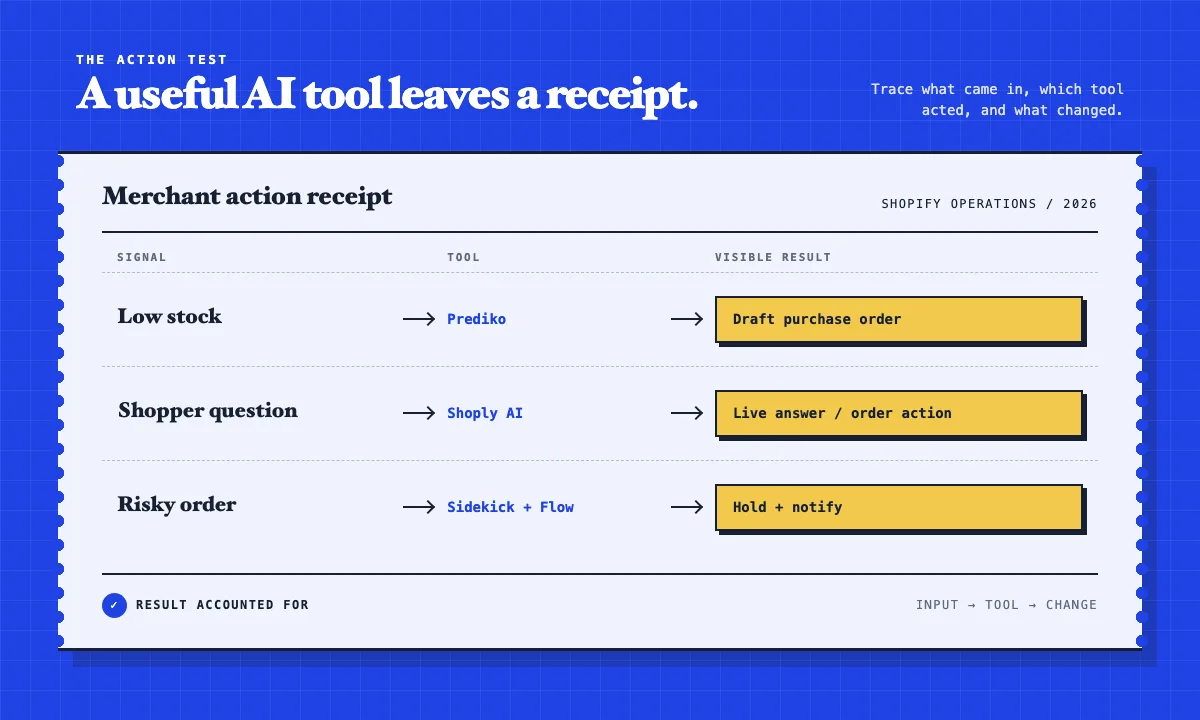
The receipt is the point. Copy generation alone does not qualify. Trace the input, see which tool acted, inspect the change, and retain a way to reverse or escalate it.
1. Use Sidekick + Flow when the action belongs in Shopify admin
Shopify Sidekick works in store context and presents changes for review. Paired with Flow, it turns a plain-language rule into triggers, conditions, and actions: tag an order, hold fulfillment, update a product, or notify a team. Generated workflows are inactive by default, so the merchant must review, test, and activate them. It is included with Shopify, though access varies by plan. It is not customer support: Shopify says Sidekick cannot talk to shoppers.
2. Use Klaviyo when customer events should trigger a campaign
Klaviyo turns browse, cart, purchase, and engagement events into automated email or mobile flows. The action is a message sent to a defined audience. Its free plan covers 250 active profiles and 500 monthly emails, enough to prove one flow before profile-based costs grow. Klaviyo is strongest after an event exists. For a shopper hesitating on a product page, use a storefront response before an abandonment sequence, not another follow-up campaign.
3. Use Gorgias AI Agent when the work already arrives as a ticket
Gorgias AI Agent reads brand knowledge and order context, then resolves eligible conversations. Actions can cancel an order, process a return, or update an address. When confidence or policy fails, it hands off. Pricing has two meters: helpdesk tickets and automated resolutions. This is the support-queue choice; our Gorgias alternatives analysis covers the category.
4. Use Shoply AI when the action must happen while a shopper chooses
Shoply AI combines product search and shopper chat. It reads the catalog, policies, live price and stock, and authenticated order state. It answers product questions, recommends items, looks up orders, and supports bounded actions such as cancellation under store rules. Live-state access is why it qualifies, not because we build it. It fits stores where discovery and support collide before checkout. Operating evidence includes 23+ languages in production and catalog retrieval above one million products.
5. Use Rebuy when the store should change the offer
Rebuy uses product, browse, cart, and order behavior to change recommendations, bundles, cart modules, and post-purchase offers. The result appears on a commerce surface. The merchant still chooses placements, eligibility rules, and the commercial boundary. Rebuy fits basket-building better than open-ended product guidance; it is a personalization suite, not a neutral product expert. Use the Shopify AI evaluation sheet, then model its package and order-volume meter against the lift you need.
6. Use Prediko when the expensive mistake is a stockout
Prediko reads sales, inventory, SKU, supplier, and location data, then produces forecasts, alerts, replenishment plans, and purchase orders. Its $49 monthly tier for stores below $100,000 in annual revenue includes unlimited users, SKUs, and POs. A forecast becomes a draft buying decision; a person still reviews supplier, cash, and timing. This is operator-facing work, but it changes what a storefront can promise. No search or chat layer can rescue wrong inventory data.
7. Use AdScale only after the storefront earns the traffic
AdScale connects Shopify product, order, and customer signals to Google and Meta campaigns. It creates campaign structures and creative variants, then adjusts bids and reallocates budget. The merchant sets the goal, channels, and spend ceiling. Advertising belongs last because it amplifies whatever the site already does. Before buying more traffic, verify that products can be found with the AI search setup guide and that questions receive grounded answers.
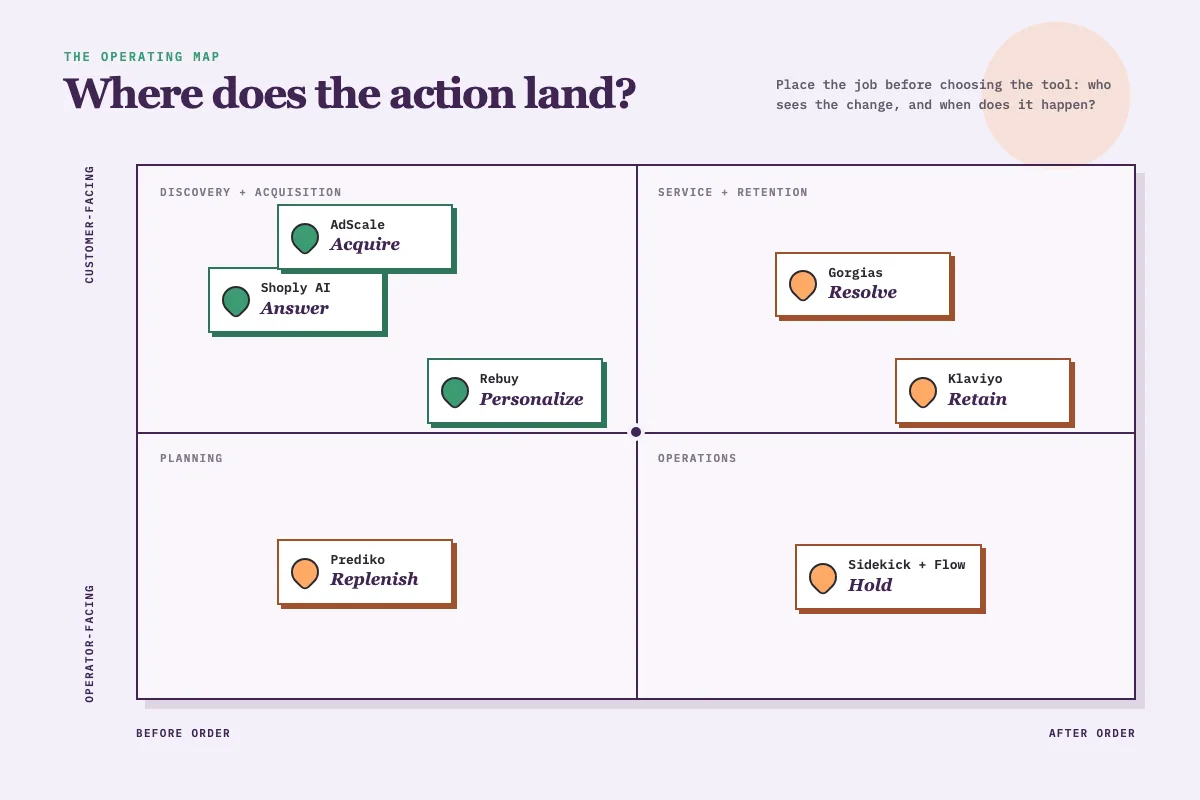
Build the smallest useful Shopify AI stack
Choose the job before the vendor: admin rules, lifecycle messages, support queues, live discovery, personalized offers, inventory planning, or paid acquisition. Start with one tool, ten real tasks, and a written pass condition. Record the input, result, exception, and person who can reverse it. Our agentic AI test defines the boundary; the fixed-task guide makes it repeatable.
Where Profound fits
Profound appears in queries reaching this page, but it belongs beside the stack. Profound Shopping monitors product visibility in AI shopping and points teams toward feed, merchant, and content improvements. Another system still makes the Shopify change, so Profound does not pass this action test.
Frequently asked questions
What are the best Shopify AI tools in 2026?
Seven functional choices cover different jobs: Sidekick plus Flow for admin workflows, Klaviyo for lifecycle campaigns, Gorgias for support, Shoply AI for search and shopper chat, Rebuy for personalization, Prediko for inventory, and AdScale for advertising. The right choice is the one that completes a repeated action you can inspect.
Which Shopify AI tool is best for a small store?
Start with one costly repeated task. Sidekick is available through Shopify, while Klaviyo supports up to 250 active profiles and 500 monthly emails on its free plan. Test ten real tasks before adding a second subscription.
Which Shopify AI tool helps shoppers find products?
Shoply AI combines natural-language product search with shopper chat and reads live catalog state. Rebuy also supports search and merchandising, but its broader job is changing personalized offers and order value. The specialist AI search comparison covers that decision.
Can Shopify AI tools take actions automatically?
Yes, inside configured limits. Flow runs activated workflows, Klaviyo sends triggered campaigns, Gorgias resolves eligible conversations, Rebuy changes offers, Prediko drafts purchase orders, and AdScale adjusts campaigns. High-impact work should keep a review, policy, or handoff boundary.
Is Profound a Shopify AI automation tool?
Profound is primarily AI-shopping visibility intelligence. It tracks product placement, prompts, merchants, and competitive gaps, then recommends improvements. A merchant or another system still applies the Shopify change, so it does not qualify as one of the seven action tools in this guide.
How should a merchant test an AI tool before paying?
Run ten store tasks, including edge cases, and record the input, visible result, failure, data source, and rollback or handoff. A polished demo is not evidence that the tool works on your catalog, policies, and order state.
See one action on a real Shopify catalog
Use the Shoply demo store to ask a product question, check stock, or test an order request. If the boundary fits, the Shoply AI Search and Chatbot app includes a free tier. For a narrower decision, compare the best AI chatbots for Shopify.